
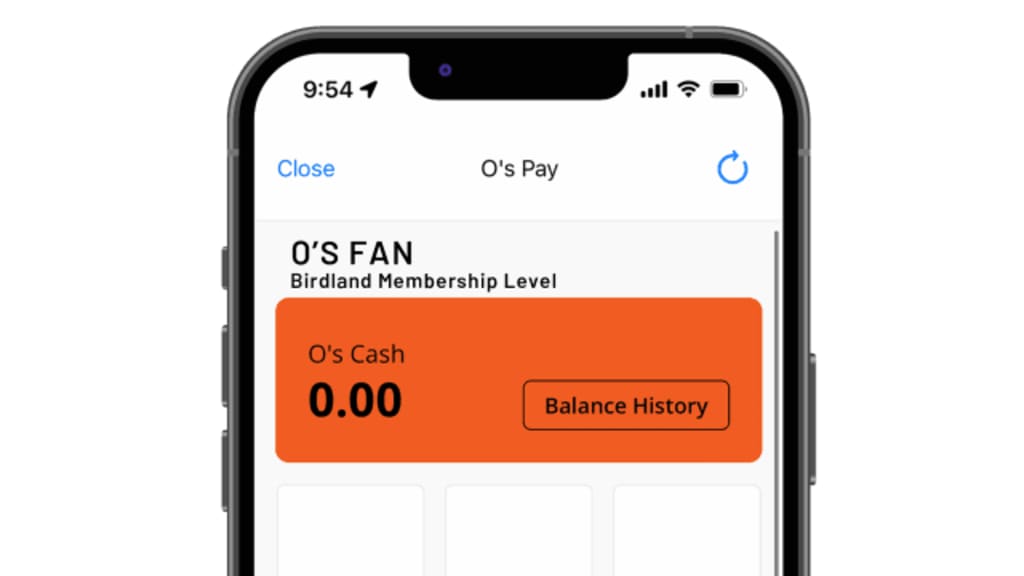
As the season quickly approaches, prepare for your first game by learning about O’s Pay.
What is O’s Pay?
Birdland Members can receive their concessions and merchandise discounts by using O’s Pay, located in the MLB Ballpark app. By scanning the My QR Code, your discount will be applied, and you may also add a credit card to seamlessly complete your purchase.
What do I need to do before my first game?
Download the MLB Ballpark app and make sure that the email address associated with your Birdland Membership is your only email linked. To verify your account, click on ‘O’s Pay’ and confirm that your Membership Level is listed under your name.
Important Notes
- This benefit is exclusive to you as the account holder and is not transferable to other members of your party.
- Screenshots of the QR Code are not accepted. The barcode updates frequently to keep your information secure.
- Concessions discount includes most food items and non-alcoholic beverages. Some restrictions apply including the Birdland Value Menu as well as suite or party catering.
- Discounts will not apply when using an Orioles eGift Card nor may they be combined with other special offerings or loaded value.
How to access My QR Code?
- Log into the MLB Ballpark app
- Select the Orioles page and click on O's Pay
- Select ‘O’s Pay’
- Scan your QR Code at the concession or retail stand
- Either close the app or finish paying with a credit card.*
*Concession discount includes food and non-alcoholic beverages. Restrictions apply, including the Warehouse Bar & Restaurant, the Dessert Cart on the Club Level, and the Birdland Value Menu offerings. Please note that a credit card is required in your O’s Pay account to receive the discount at the Birdland Markets.
More information on O’s Pay can be found at Orioles.com/OsPay. If you have any questions, please reach out to us at members@orioles.com.