


Season Ticket Seat Selection Guide
Please find detailed information on how to access your season ticket purchase opportunity. We encourage you to test your login credentials in advance of your scheduled appointment time.
Login Information:
- Email: Enter the email associated with your MLB.com account. This is the same email used when purchasing your deposit, and/or purchasing postseason tickets.
- Password: Enter the password used for your MLB.com account. If you’ve forgotten this password, click “Forgot Password” to have a password reset link sent to your email. Please note there may be a delay between when you request the password reset and when you receive the email. If you do not receive a password reset email you likely need to create an MLB.com account. When creating a new account, please use the same email address used when purchasing your deposit.
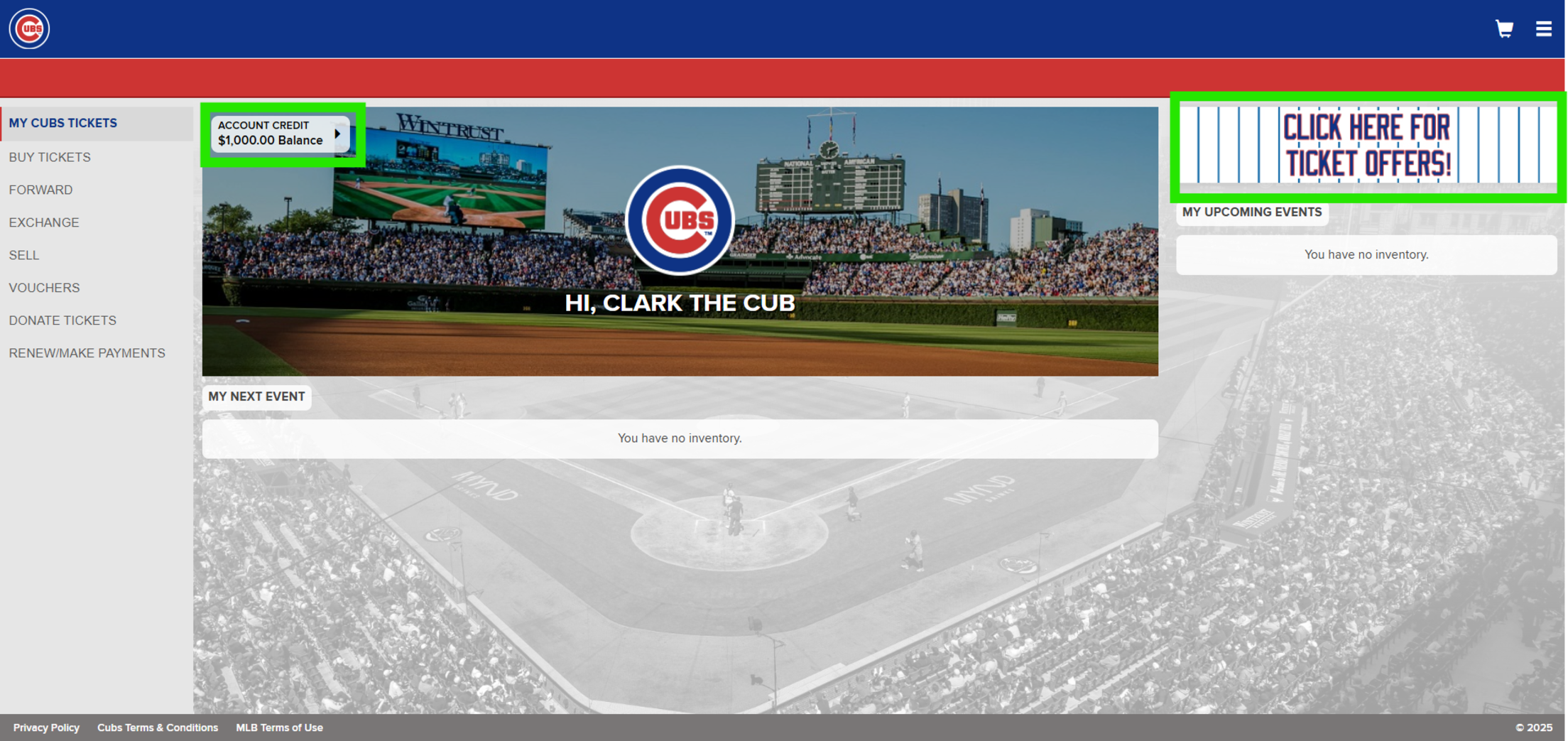
After logging in to your account, you will see your available account credit in the top left corner of the welcome banner. Next, click the banner in the top right that says "CLICK HERE FOR TICKET OFFERS!" to view available packages.
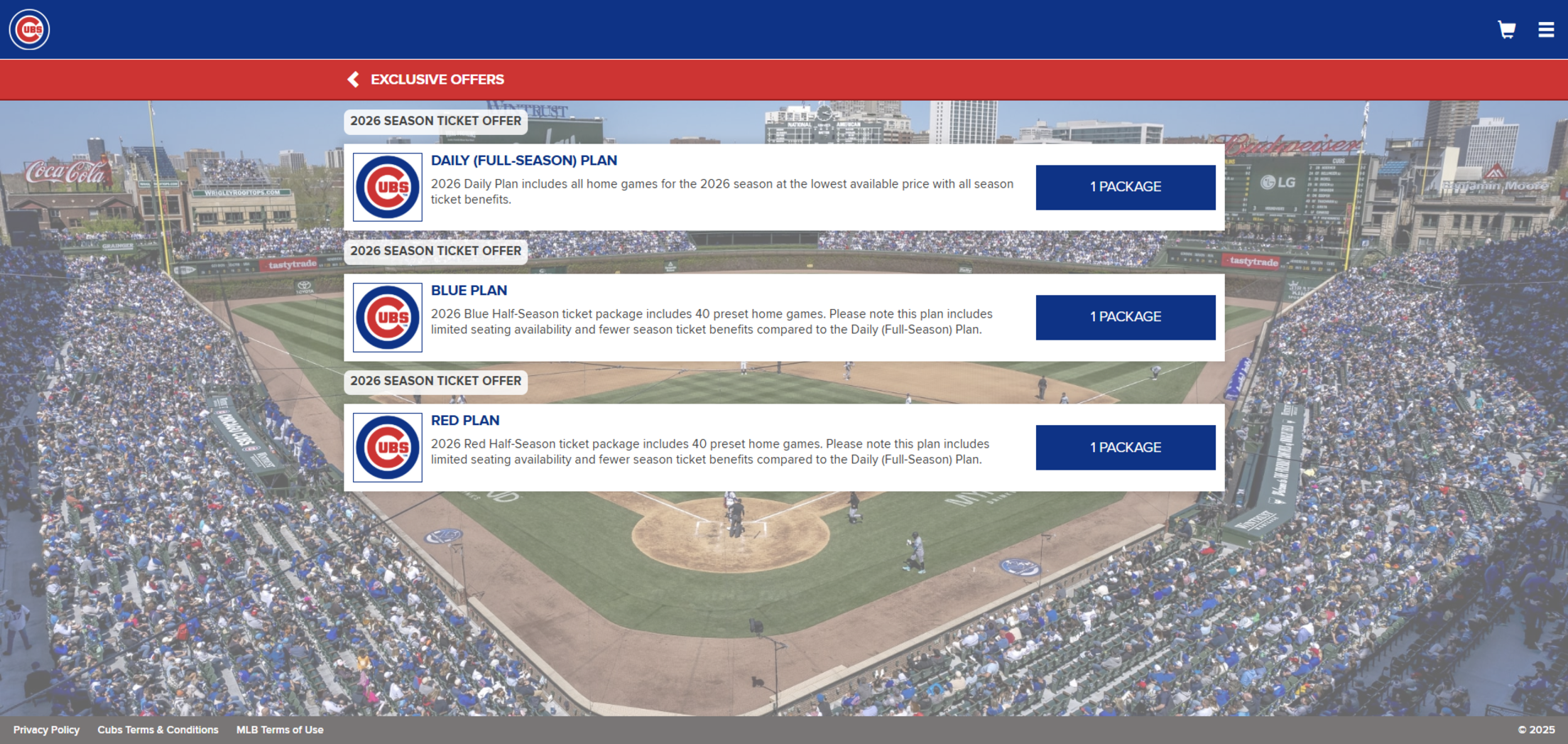
To view available seating options, click the button that says "1 PACKAGE" next to the 2026 season ticket offer of interest.
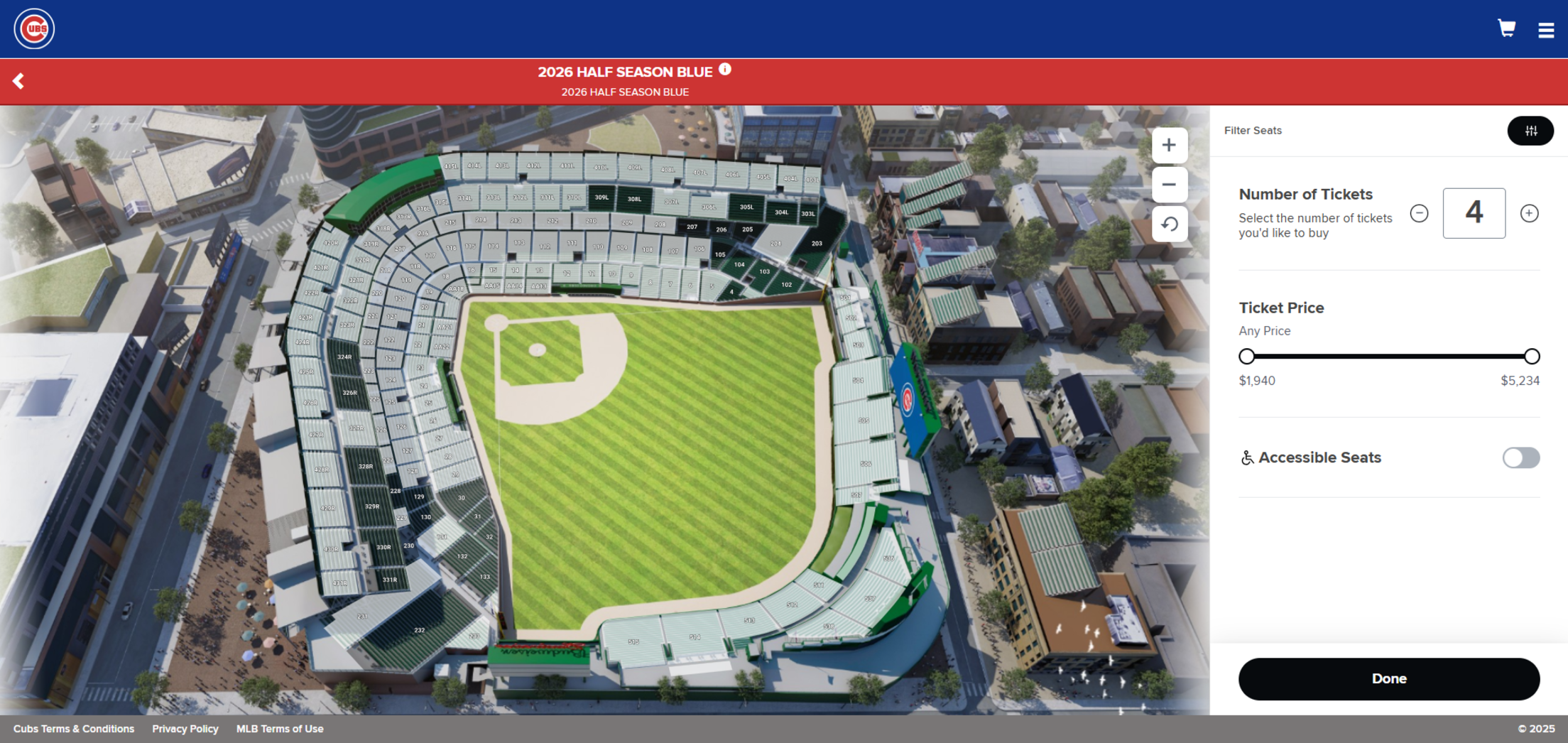
On the seating map, click the sections shown in darker green to view available seats. To view Accessible Seats, please click the toggle for Accessible Seats on the right side of the page. Make your seat selection of one (1) to six (6) season ticket seats to purchase, pending availability, and continue to checkout.
After clicking a dark green section, view available seats within that section.
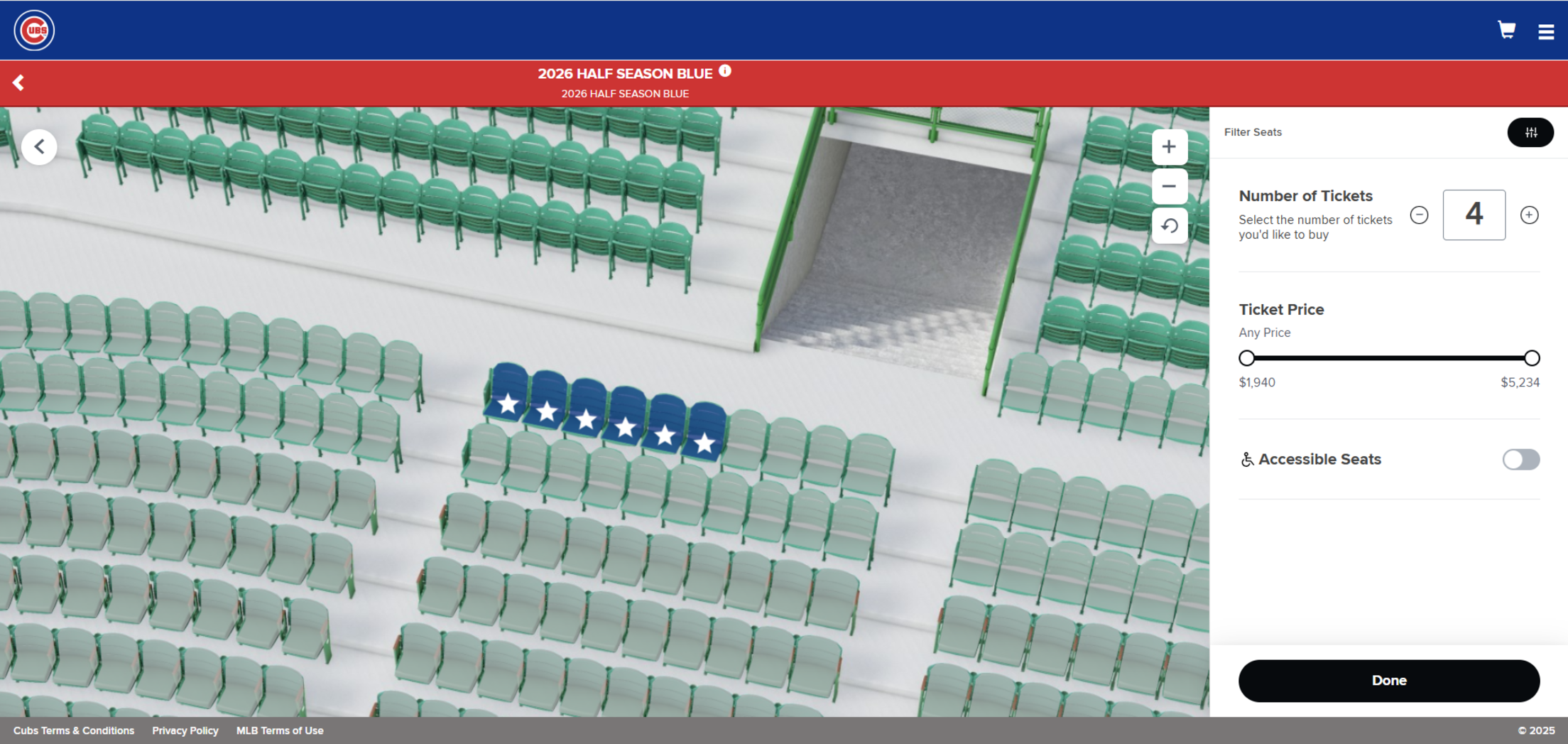
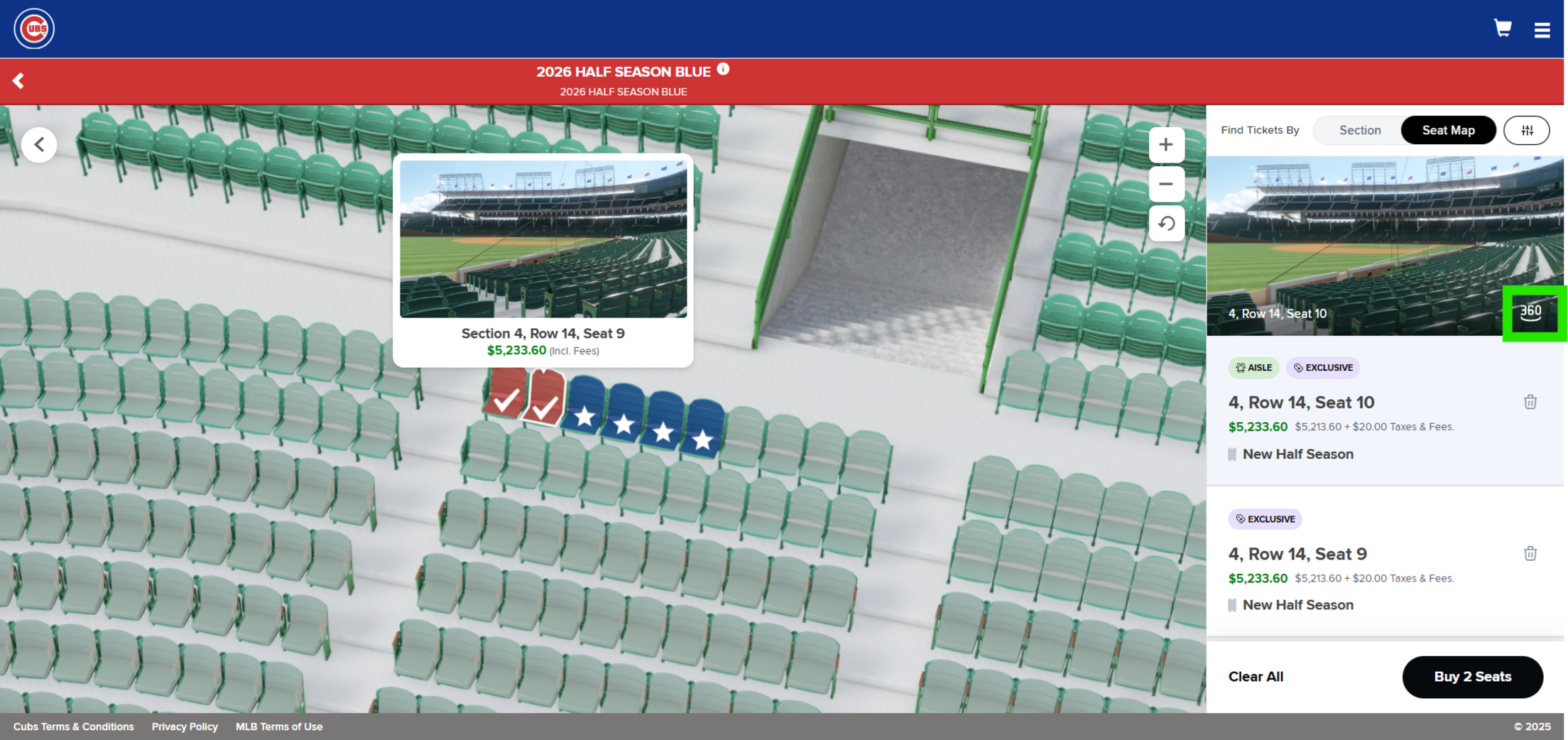
To see the view from each seat, hover your mouse over the seat. Click the 360 icon on the right to display a full-screen 3D view of the ballpark from that seat.
After you select available seats, you will see the total price per seat. Please note each seat includes the complete package for your selected plan for the 2026 season. Click “Buy Seats” in the bottom right to continue to the payment screen.
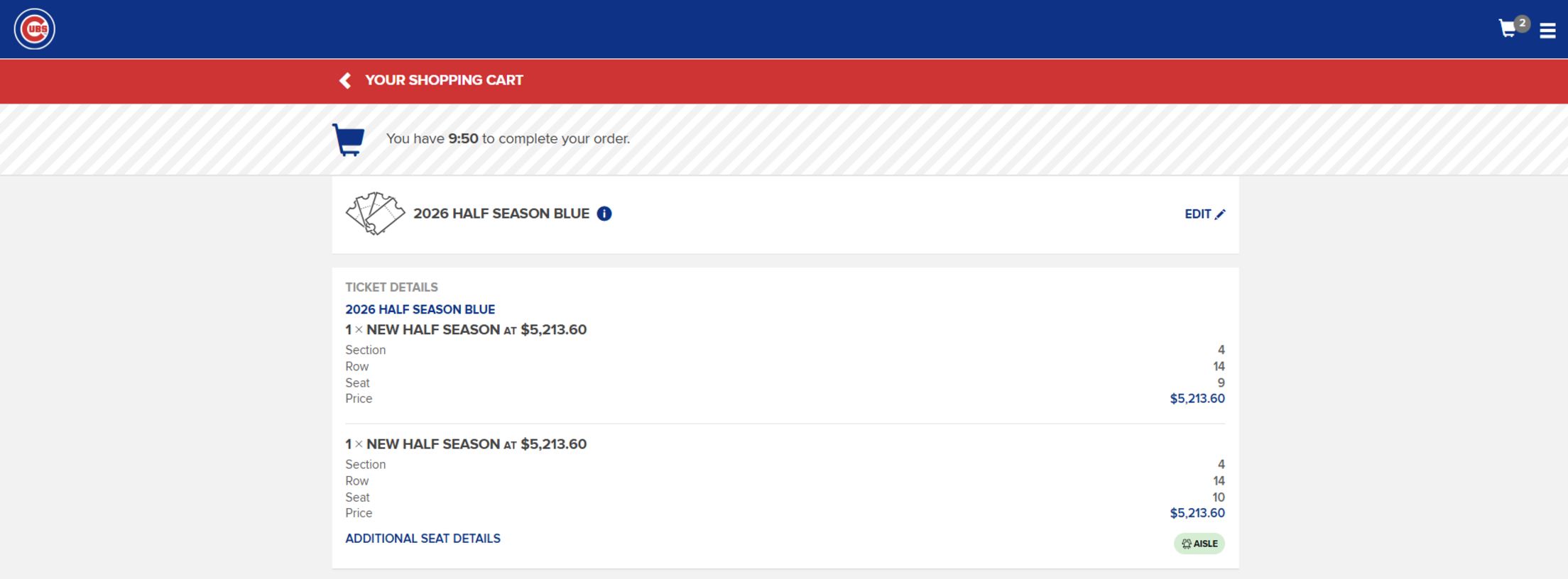
View and submit payment for your season ticket seats. Please note each seat includes the complete package for your chosen 2026 season ticket plan. You will see the details of your seats, including section, row and seat number. Please confirm you have the correct seats as all sales are final. To remove the seats from your cart please click "Edit" at the top-right portion of the checkout page.
Select your choice of the Multiyear or Annual season ticket plan. In the "PAYMENT OPTION" section, you can use the drop-down menu to choose to either pay for your seats in full or make a nonrefundable initial payment, within either of those plan types. If you select the Multiyear plan, you will be sent an agreement to sign electronically. All agreements must be signed within 48 hours after receipt. For more information on Multiyear plans, please view FAQs at the link here.
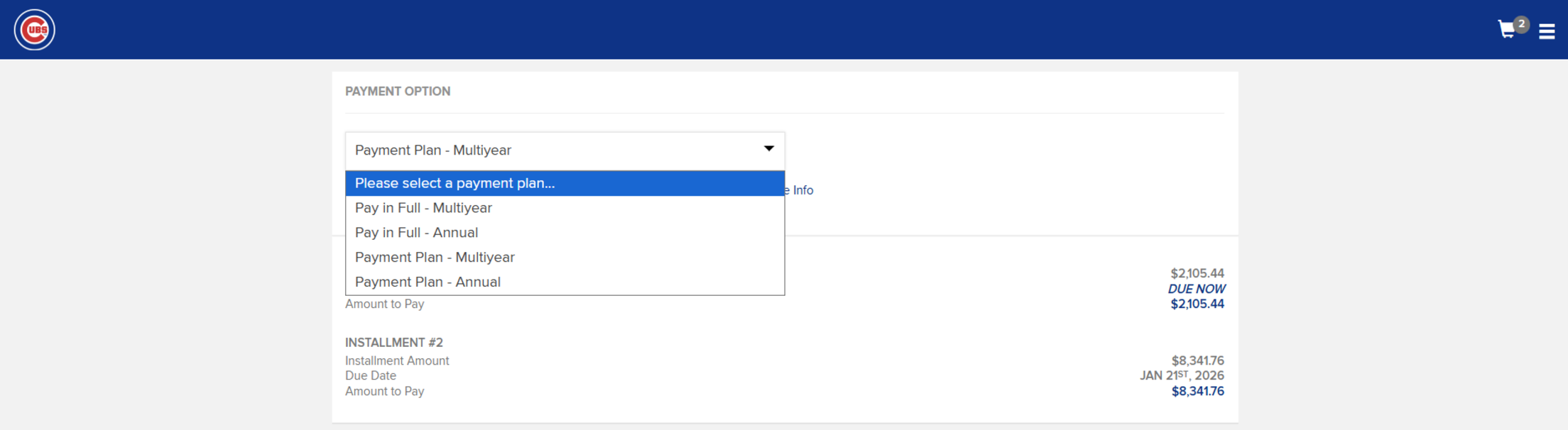
If you select to make an initial payment of 20% of your total, your remaining balance will be due by January 21, 2026.
To use multiple credit cards, you must uncheck the box that says "Use one payment method for all future installments“ and then select "Split Payment" to add any additional cards as a new payment method. This box is located under the “Payment plans” drop-down menu. Please note you are only able to split payments on a desktop or tablet as this feature is not available on mobile.
To apply your credit, navigate to the "Account Credit" section and select the box that says "Apply to my purchase" to apply any eligible account credits toward your 2026 season tickets. This will include your $1,000 deposit as well as any remaining funds from unplayed postseason games. If you do not check this box, we will apply these funds on your behalf after your purchase is complete.
Finally, enter your payment method(s) and prepare for check out.
Please review your purchase before placing your order. All sales are final, and any remaining balance will be due Wednesday, January 21, 2026.