
Minnesota Twins
Minnesota Twins URL logo

    Ticket Tutorials

    Select the Dropdown Menu For More Tutorials
    • Sign Up for MyTwins Rewards
    • MyTwins Rewards Code
    • Add MyTwins Partners
    • Accept MyTwins Partners
    • MyTwins Rewards Points History
    • View MyTwins Wallet
    • View MyTwins Rewards
    • Desktop Forwarding
    • Desktop Recalling
    • Desktop Ticket Exchanges
    • Mobile Ticket Exchanges
    • Selling Tickets
    • Ballpark app Forwarding
    • Ballpark app Recalling
    • Flex Voucher Forwarding
    • Mobile Ordering
    • Theme Night Items
    • Choice Membership on Desktop
    • Choice Membership on Mobile
    • Transfer Concessions Cash
    arrow-expand-597509arrow-contract-597510

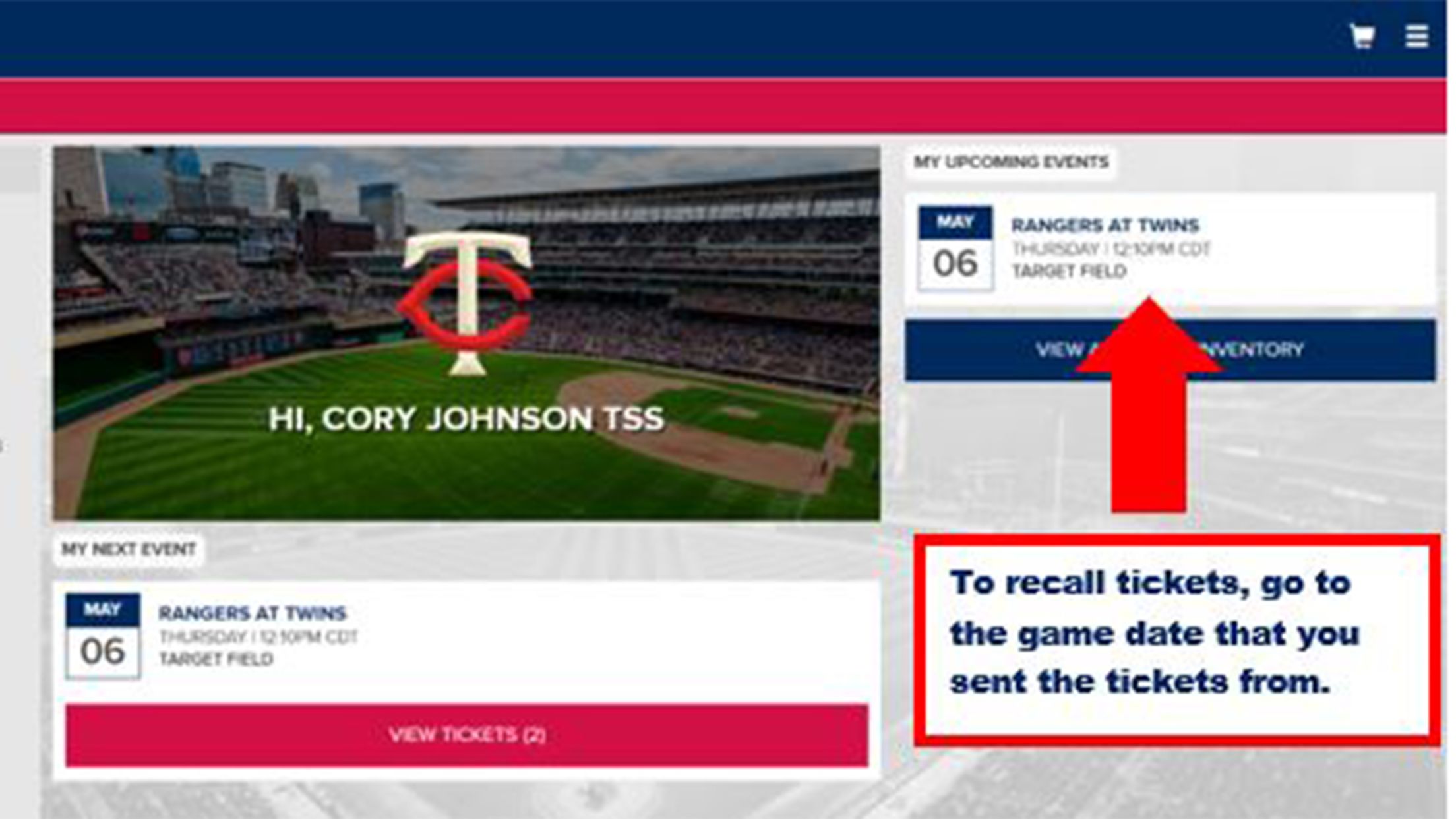
    Step 1

    To recall tickets, go to the game date you sent the tickets from

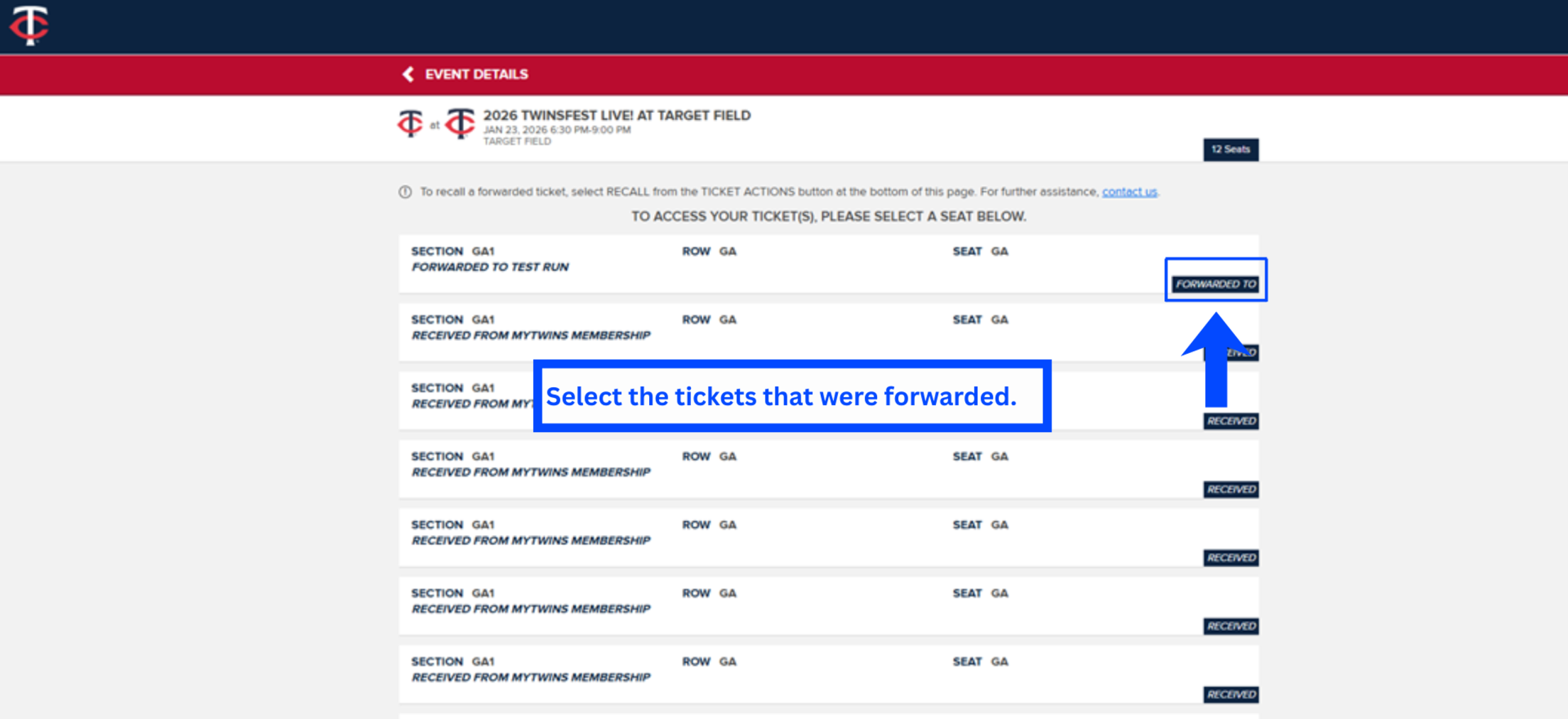
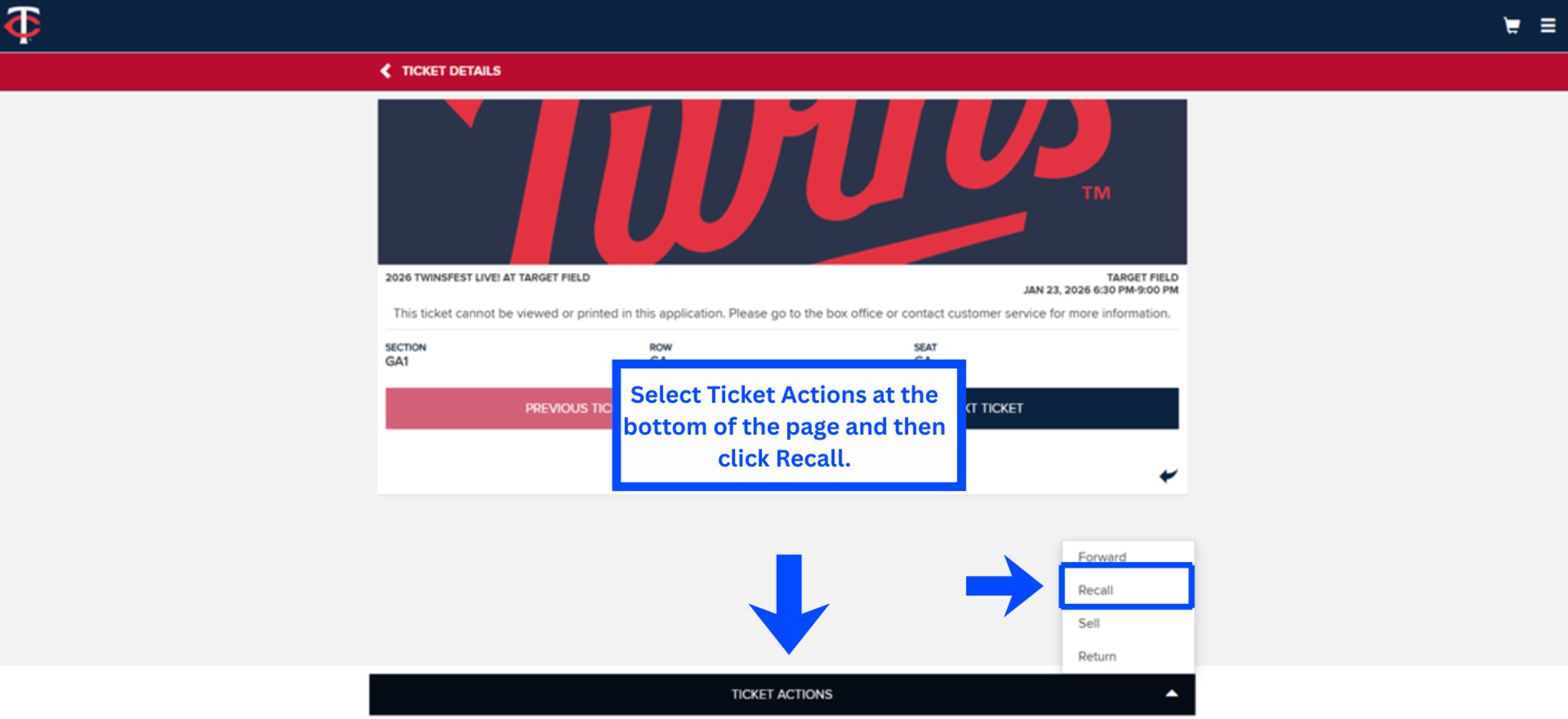
    Step 2

    Select Ticket Actions at the bottom of the page and then click Recall

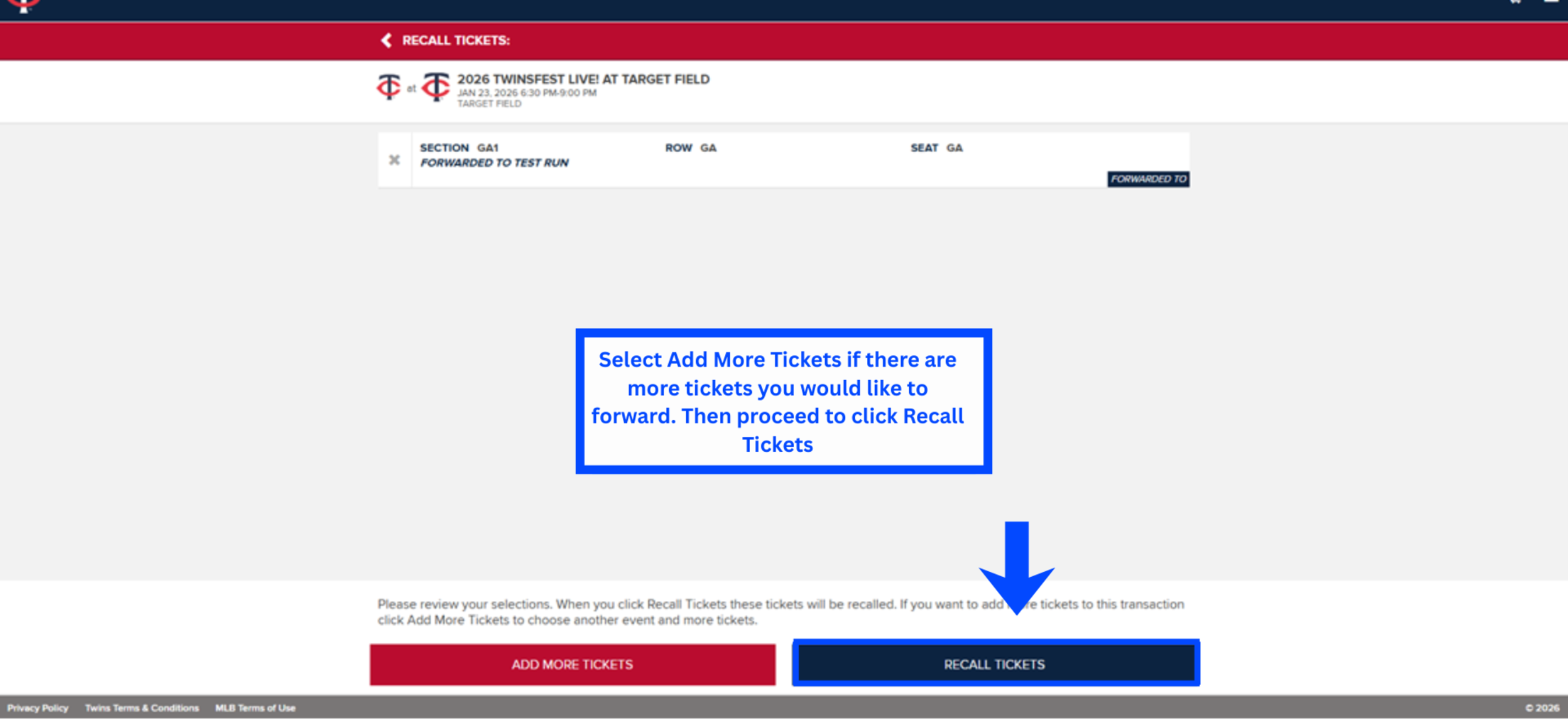
    Step 3

    Select the ticket(s) you want to recall, and press continue
    More in MyTwins Members
    • MyTwins Members Index
    • Auto-Renewal Terms and Conditions
    • Auto-Renew Opt-out Form
    • MyTwins Membership Terms and Conditions
    • Ticket Tutorials
    • Mobile Ordering
    • MyTwins Member Handbook
    • Flex Redemption
    • Mobile MyTwins Membership Tickets
    • MyTwins Member Discount Card
    • Game Notes
    Minnesota Twins URL Logo
    • Official Info
    • Contact the Twins
    • Accessibility
    • Job Opportunities
    • Major League Baseball
    • Boys and Girls Club of America
      © 2025 MLB Advanced Media, LP. All rights reserved.
    • Terms of Use
    • Privacy Policy
    • Legal Notices
    • Contact MLB
    • Do not Sell or Share My Personal Data