

Cubs Holiday Pack
Holiday Packs are no longer available for the 2026 season.
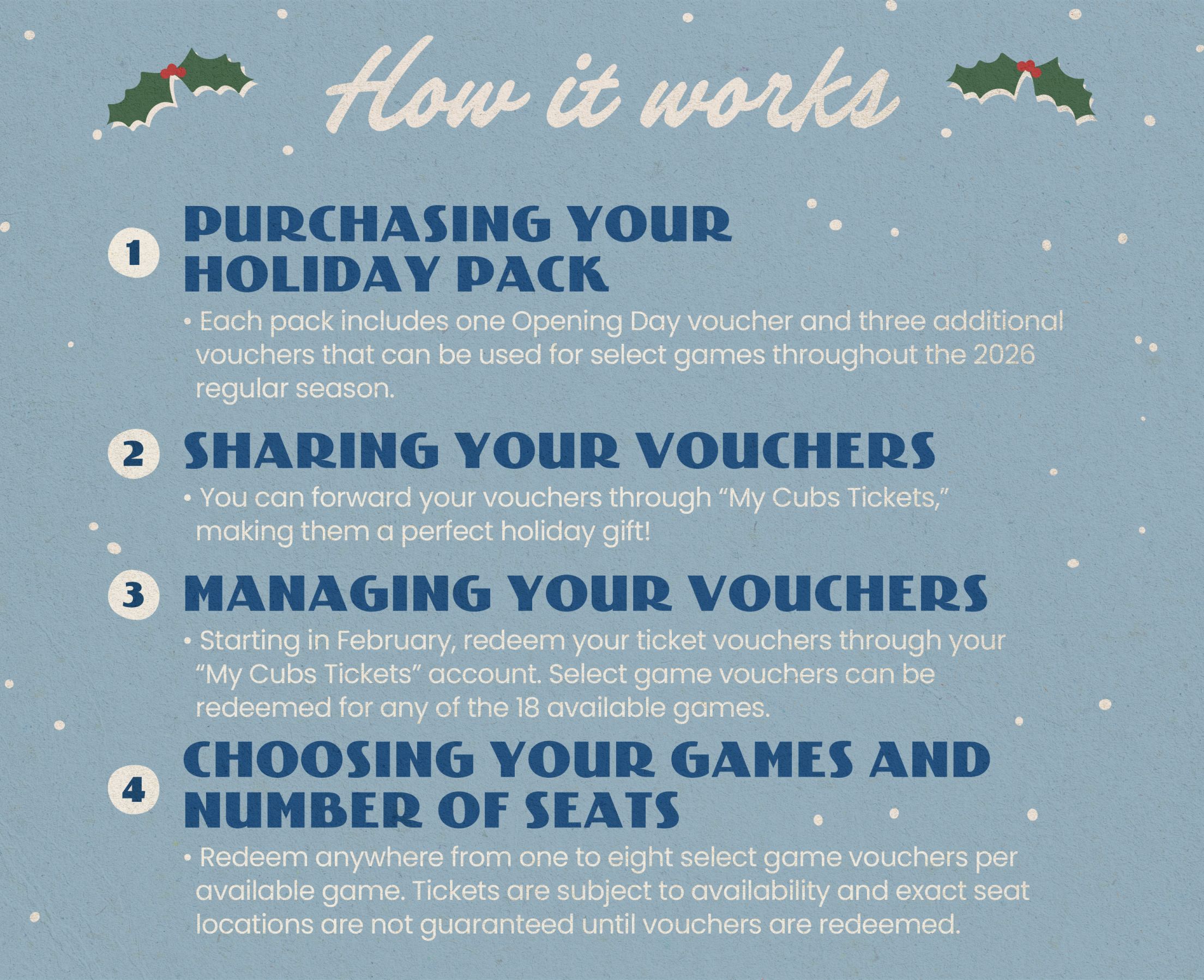
Redeeming Vouchers
- Log in to My Cubs Tickets
- Navigate to VOUCHERS on the left side of the screen
- Select your 2026 Holiday Pack
- At the bottom of the voucher detail page, click Voucher Actions then Redeem
- Select the voucher(s) you wish to redeem, then click Continue at the bottom of the screen
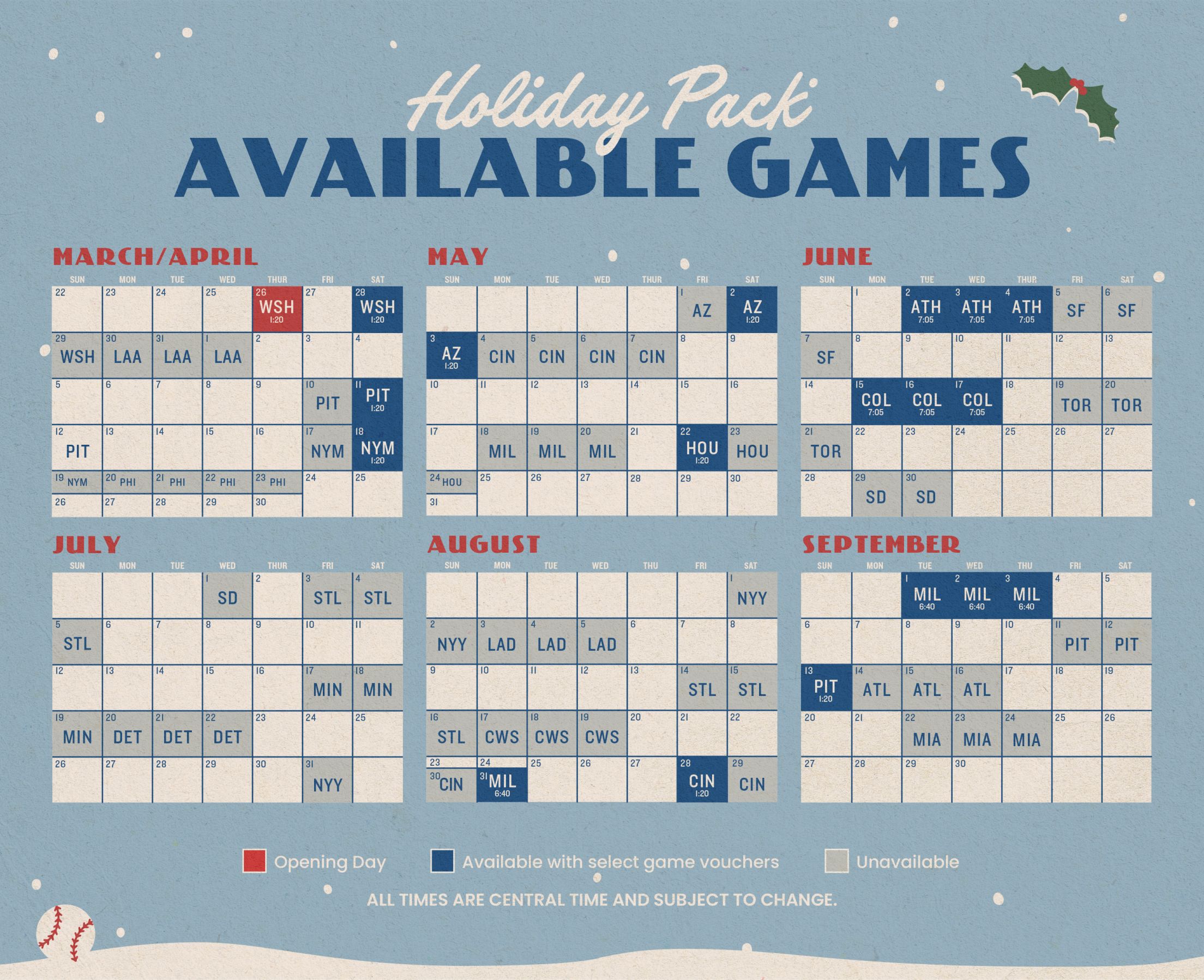
- Select the game you wish to attend – only eligible games will be shown
- Choose an eligible section from the map to view inventory. Select the seat(s) you wish to purchase.
- If the ticket price is equal to or less than the value of your voucher, the price will display “PREPAID”
- If the ticket price is greater than the value of your voucher, the upgrade price (difference) will be displayed
- When you are ready to check out, click Buy Seat(s) in the bottom right corner
- Proceed through the checkout process
- Tickets for Cubs games at Wrigley Field will be delivered exclusively as mobile tickets via the MLB Ballpark App. To view and use tickets log in to your existing MLB.com account in the MLB Ballpark App or create a new account with the same email address used to purchase ticket(s). Download the app today – Click here.
Forwarding Vouchers
- Log in to you "My Cubs Tickets" account
- Navigate to VOUCHERS on the left side of the screen
- Select your 2026 Holiday Pack
- At the bottom of the voucher detail page, click Voucher Actions then Forward
- Choose a recipient from your friend list or click Add Friend at the bottom of the screen
- Confirm the forwarding information and click Forward Vouchers