

My A's Tickets: 2026 Las Vegas Homestand Guide
My A's Tickets
With My A's Tickets, you can easily renew, transfer and sell your season and single tickets from a secure and convenient location on athletics.com. Using My A's Tickets you can browse your purchased tickets, forward tickets, and recall tickets.
Instructions for Full Season Members
Sign in to MLB.com > My A's Tickets
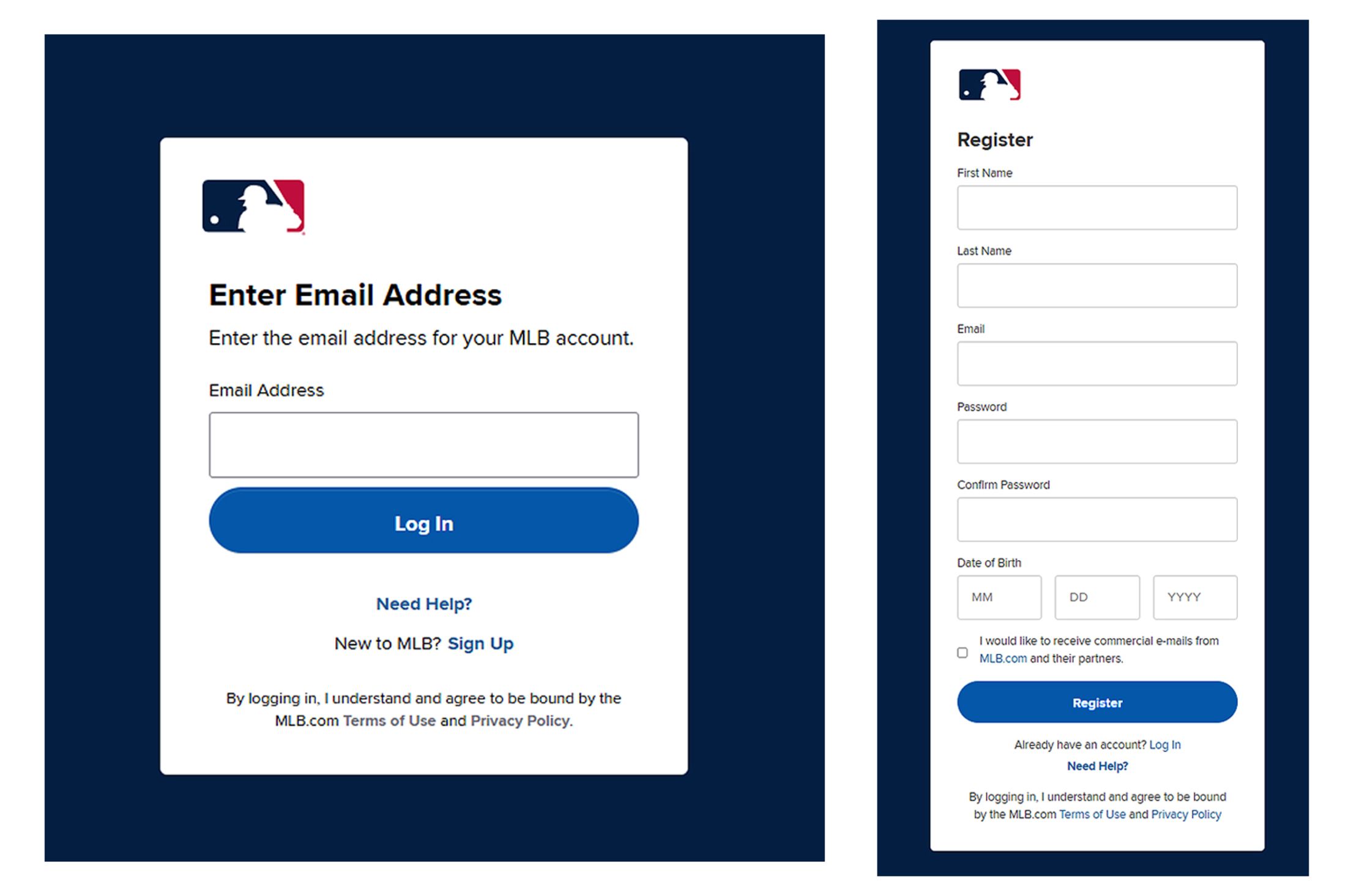
- Create an MLB account or sign in using the email address tied to your account.
Renew/Make Payments
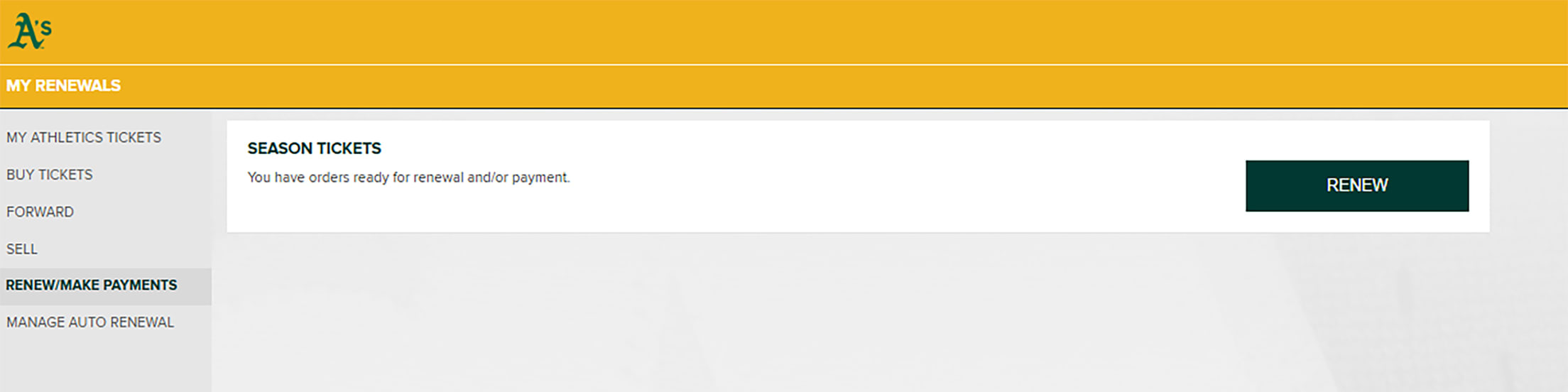
- In the menu on the left, select "RENEW/MAKE PAYMENTS."
- This will populate a screen where it will show that you have an order(s) available for renewal.
- Click "RENEW."
Order Details
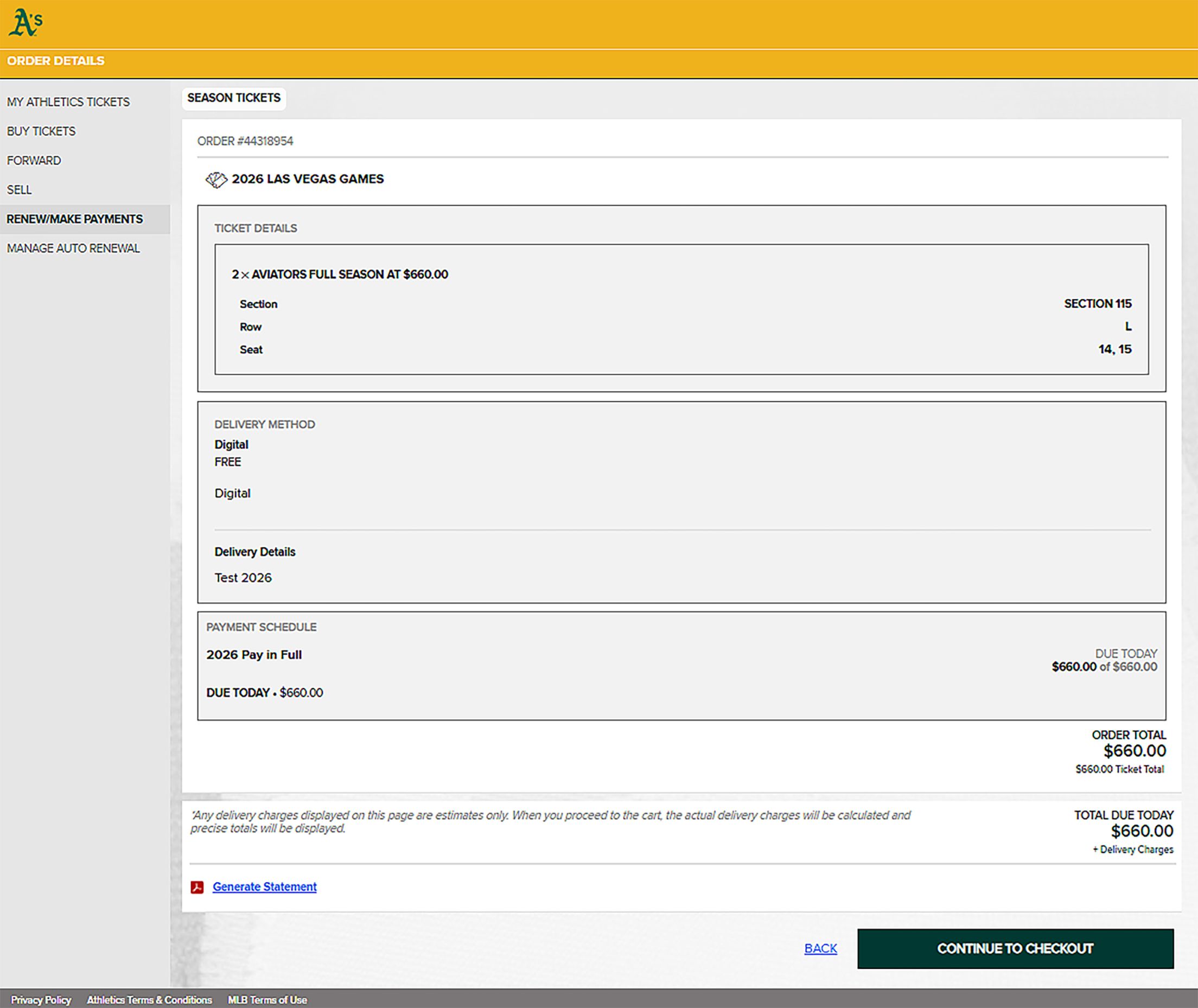
- By clicking "RENEW", this will take you to a screen with order details and your total payments due.
- By clicking "GENERATE STATEMENT", you can download a PDF receipt of your renewal purchase.
- Click "CONTINUE TO CHECKOUT" if everything looks accurate.
Payment Method
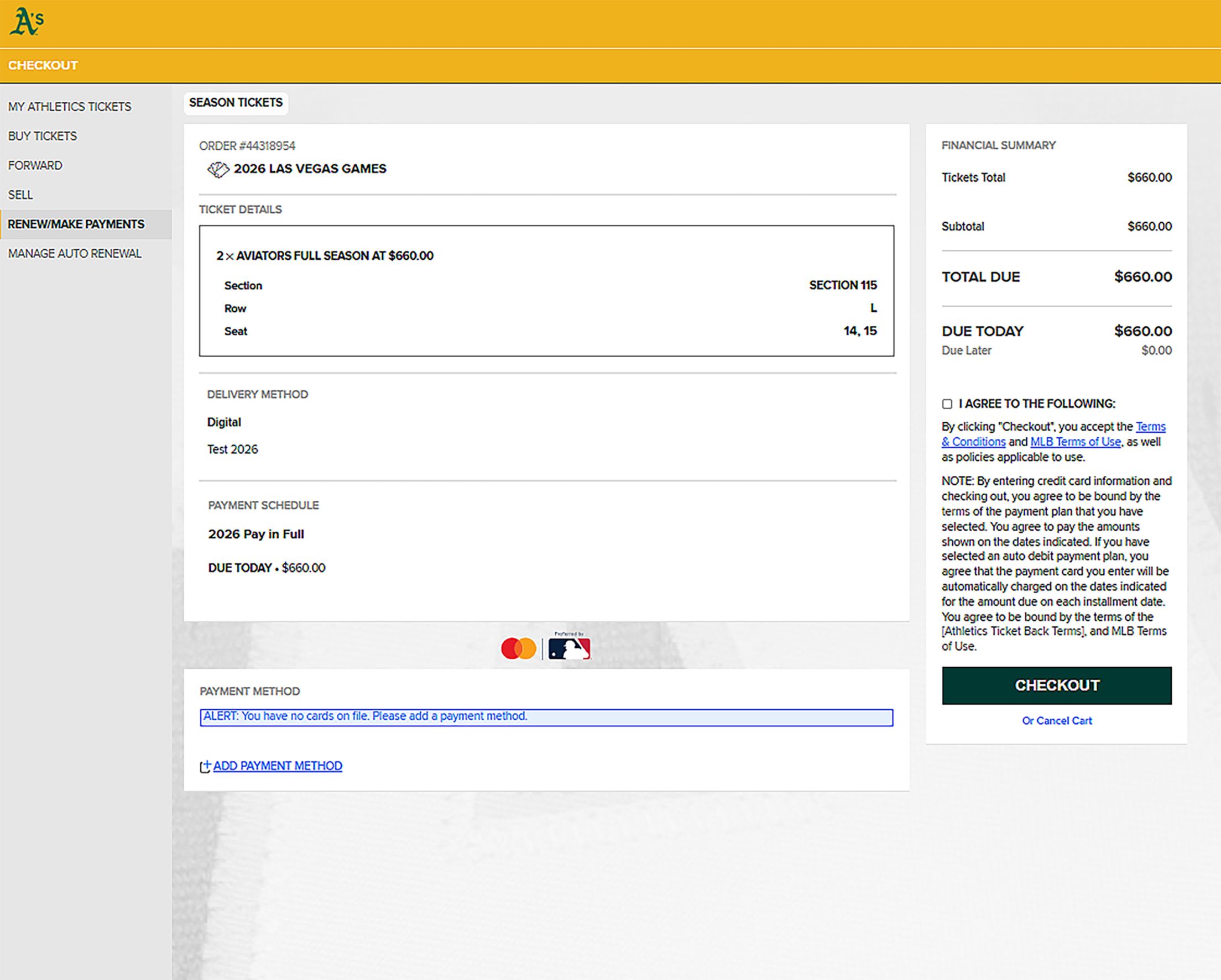
- Once on the checkout screen, you are able to apply a credit card(s) to purchase the package.
- To split a payment across multiple cards, add another payment method and choose the cards you want to use.
Checkout
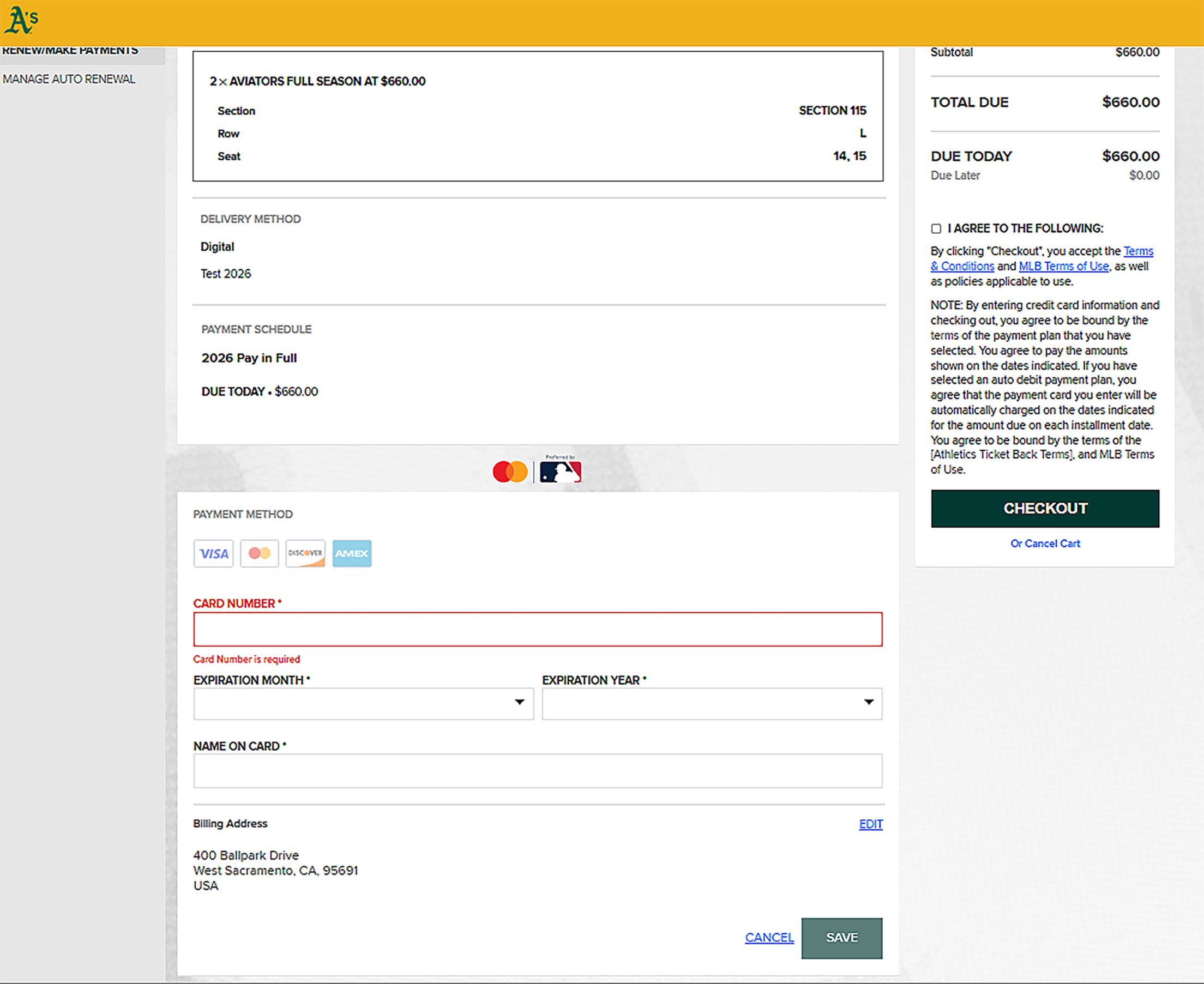
- Once you have applied the split (if applicable), then agree to the terms and conditions and click "CHECKOUT."
Instructions for Partial Season Members
Sign in to My A's Tickets
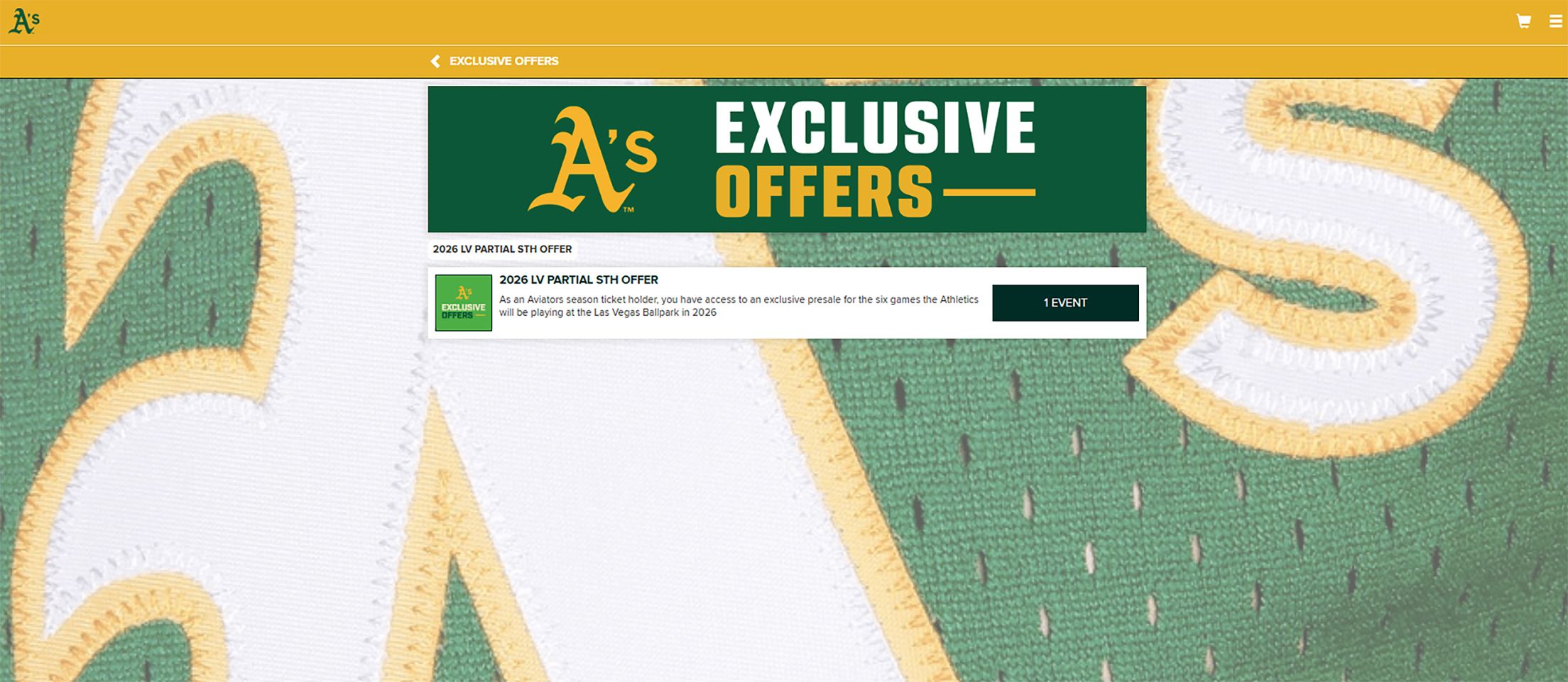
- Once logged into My A's Tickets, click the "EXCLUSIVE OFFERS" tab in the top right corner.
- Click the "1 EVENT" button in the box.
Select Your Seat(s)
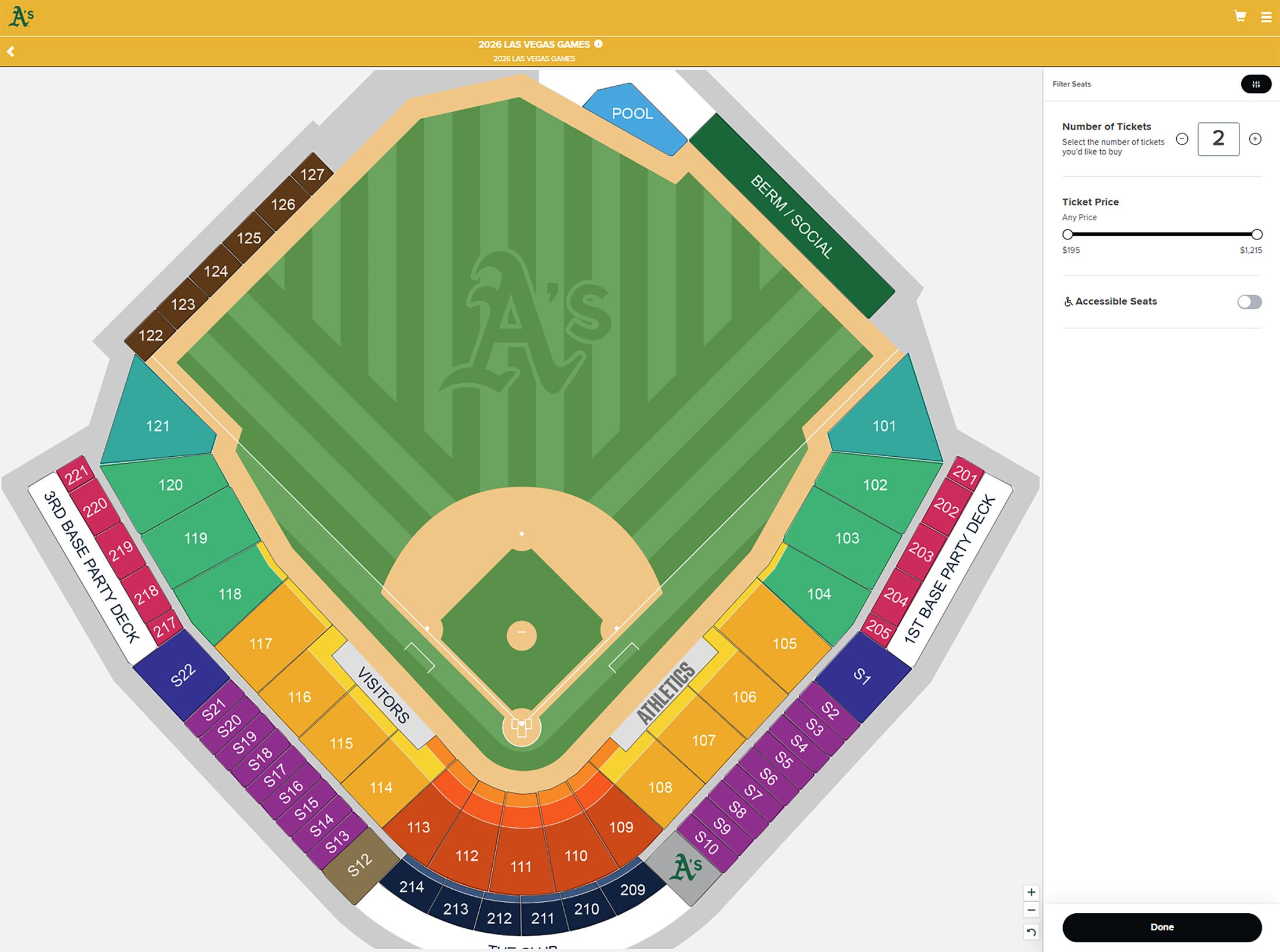
- From this screen, you are able to click into any section to select available seats (maximum of 6 tickets, minimum of 1).
- Once you have selected your desired tickets, click "BUY TICKETS" at the bottom of the screen which will take you to checkout.
Payment Method
- From this screen, you are able to click into any section to select available seats (maximum of 6 tickets, minimum of 1).
- Once you have selected your desired tickets, click "BUY TICKETS" at the bottom of the screen which will take you to checkout.
Checkout
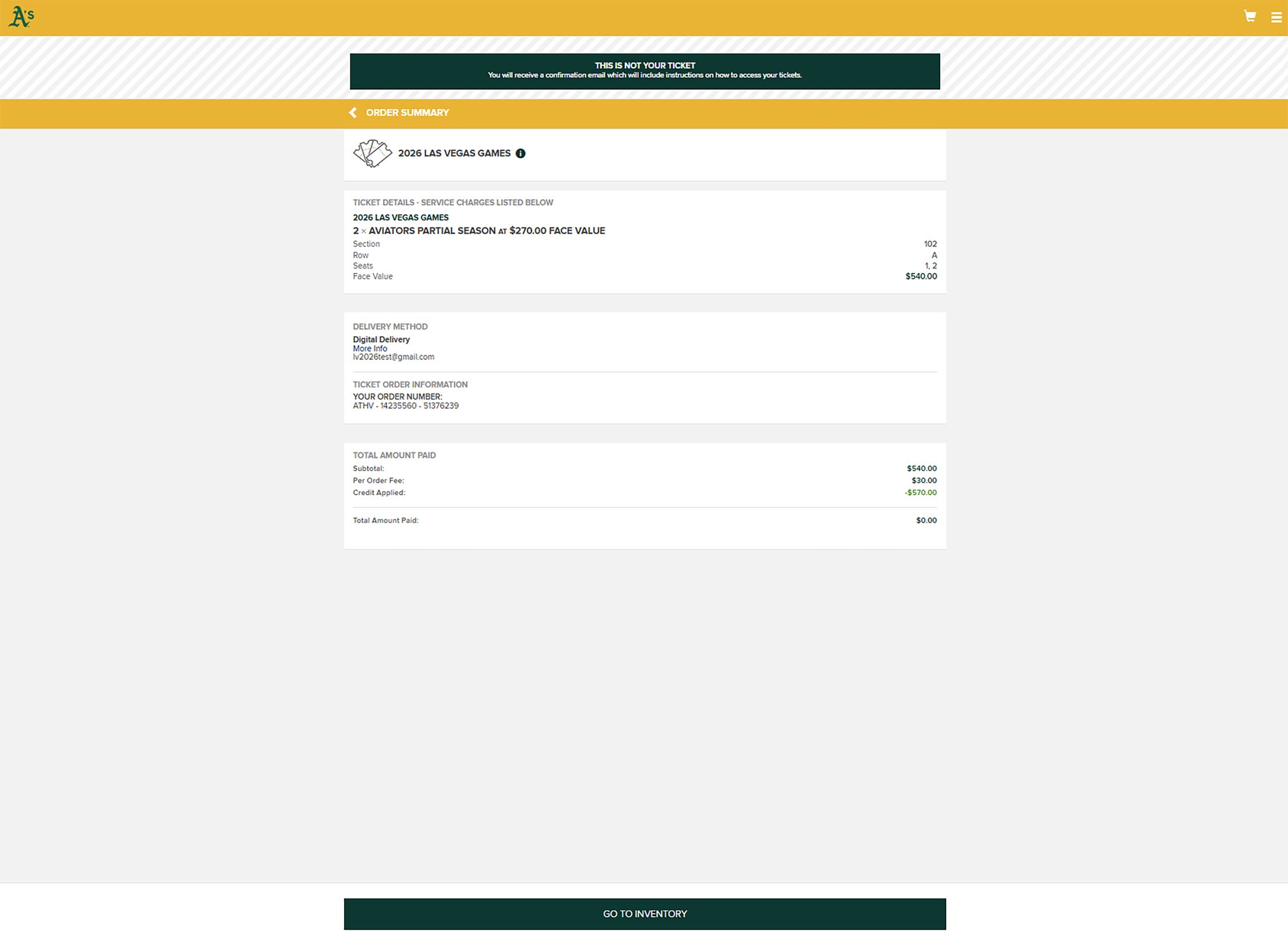
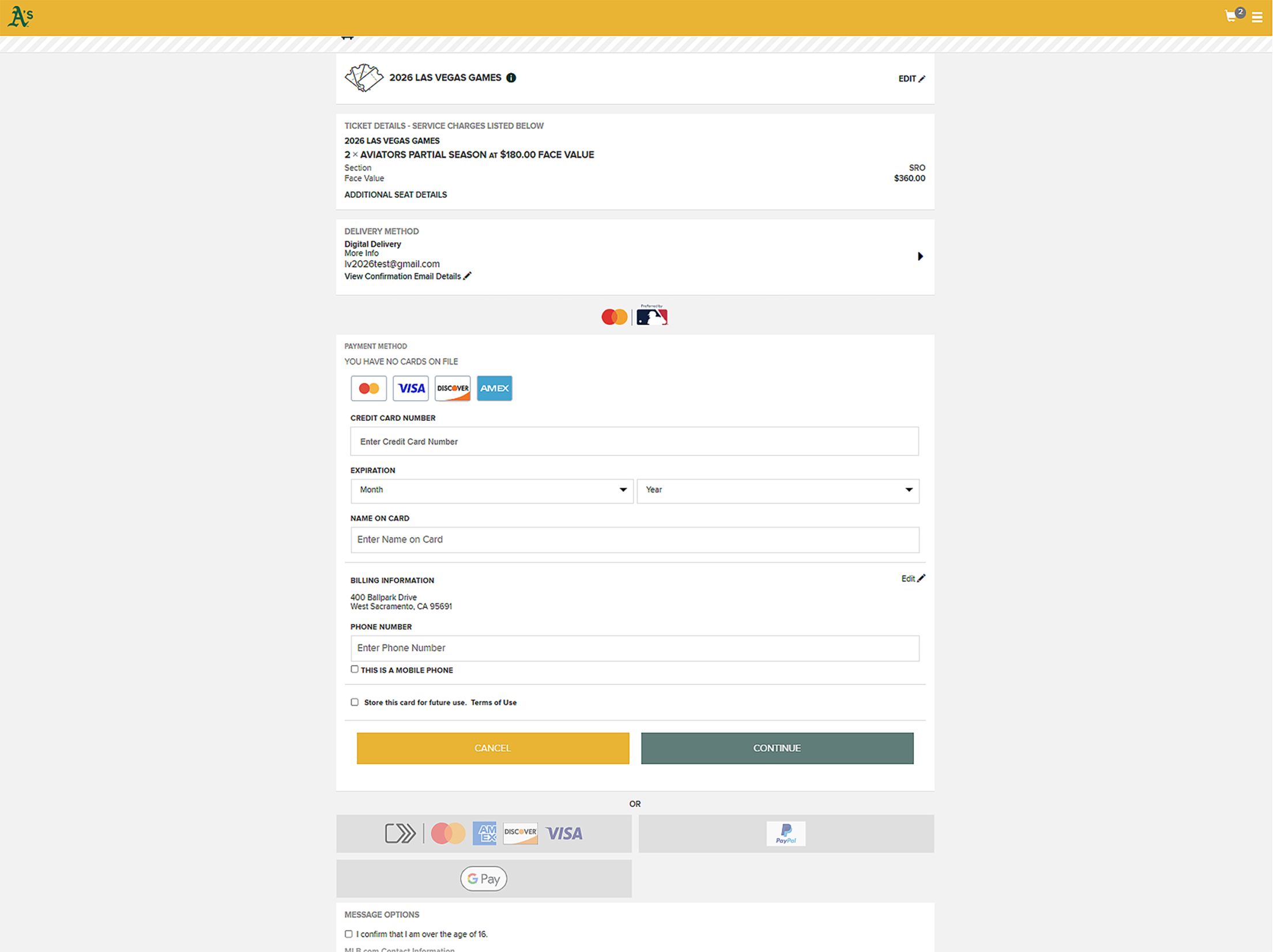
- Fill out the necessary information, including payment method, delivery method, and agree to the terms and conditions.
- Once this is complete, click "PLACE ORDER" to finish.