

Step 1: Click on the link and you will be redirected to "Arizona Diamondbacks AccountManager Employee Tickets".
Employee Complimentary Tickets
Please note the following information:
- Tickets will be issued via Mobile Entry. Download the MLB Ballpark app to access your tickets.
- You may claim accessible seats for you or your guests. You also can coordinate with other co-workers to claim seats next to each other.
- To access your tickets after you claim them, go to dbacks.com/myaccount and log in. You can also manage your tickets in the MLB Ballpark app. From there you may forward your tickets to friends and family.
- No longer can attend the game? Log in to dbacks.com/myaccount, select the game and click on Return.
Link Your Tickets in the MLB Ballpark app
Below is a step by step process on how to link your employee ticket account to the MLB Ballpark app.
- Download the MLB Ballpark app on your mobile device. If you have already downloaded the app and have an MLB.com login, proceed to step 4.
- Open the MLB Ballpark App. If you do not have an MLB.com account, choose the "Sign Up" option.
- Create an account using your dbacks.com email.
- Click the Tickets Tab and select the “Sign in to Arizona Diamondbacks” option.
- Type in your dbacks.com email address that is associated with your employee tickets account
- Begin managing your tickets on your mobile device. You may need to hit refresh before tickets appear.
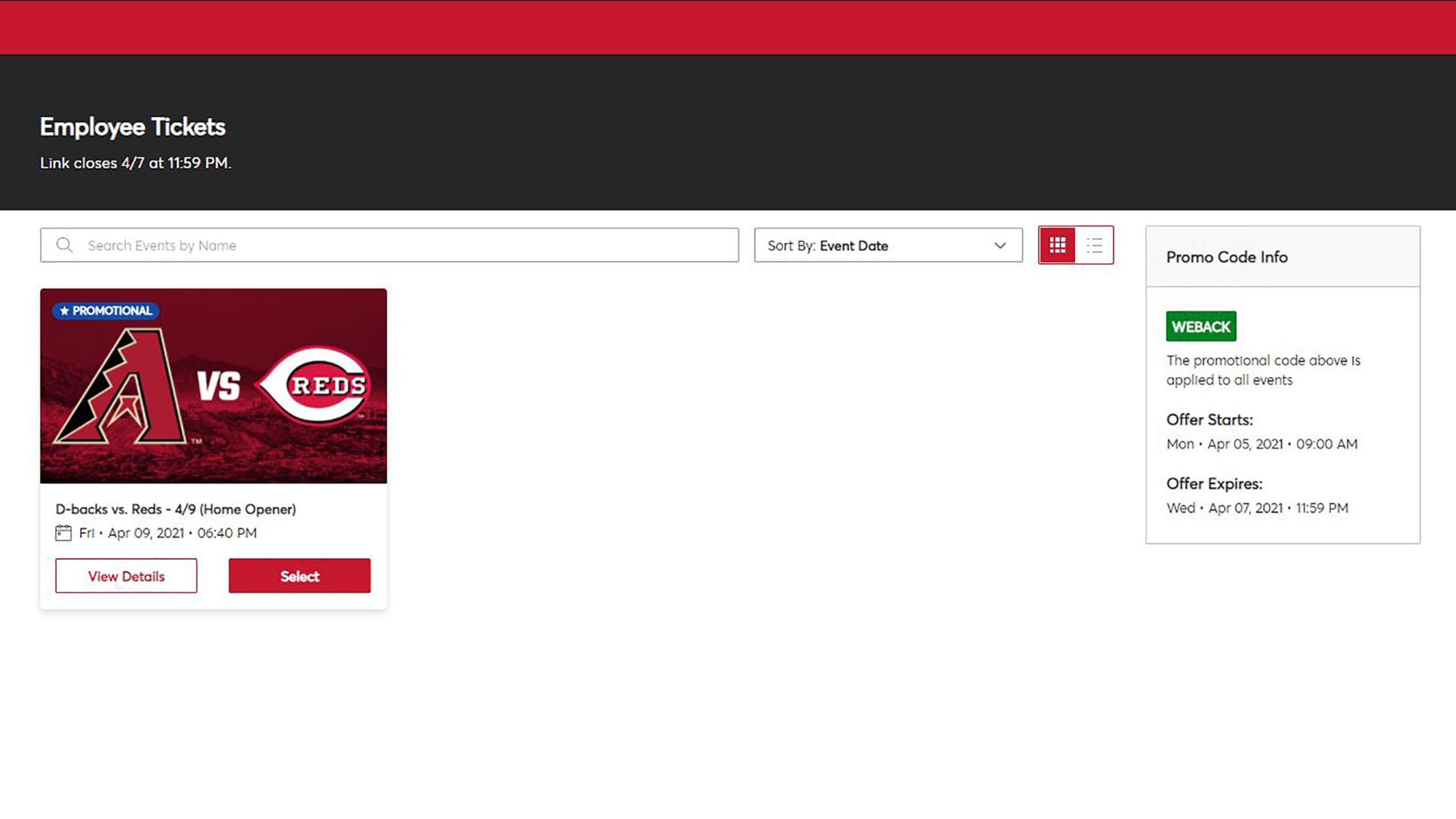
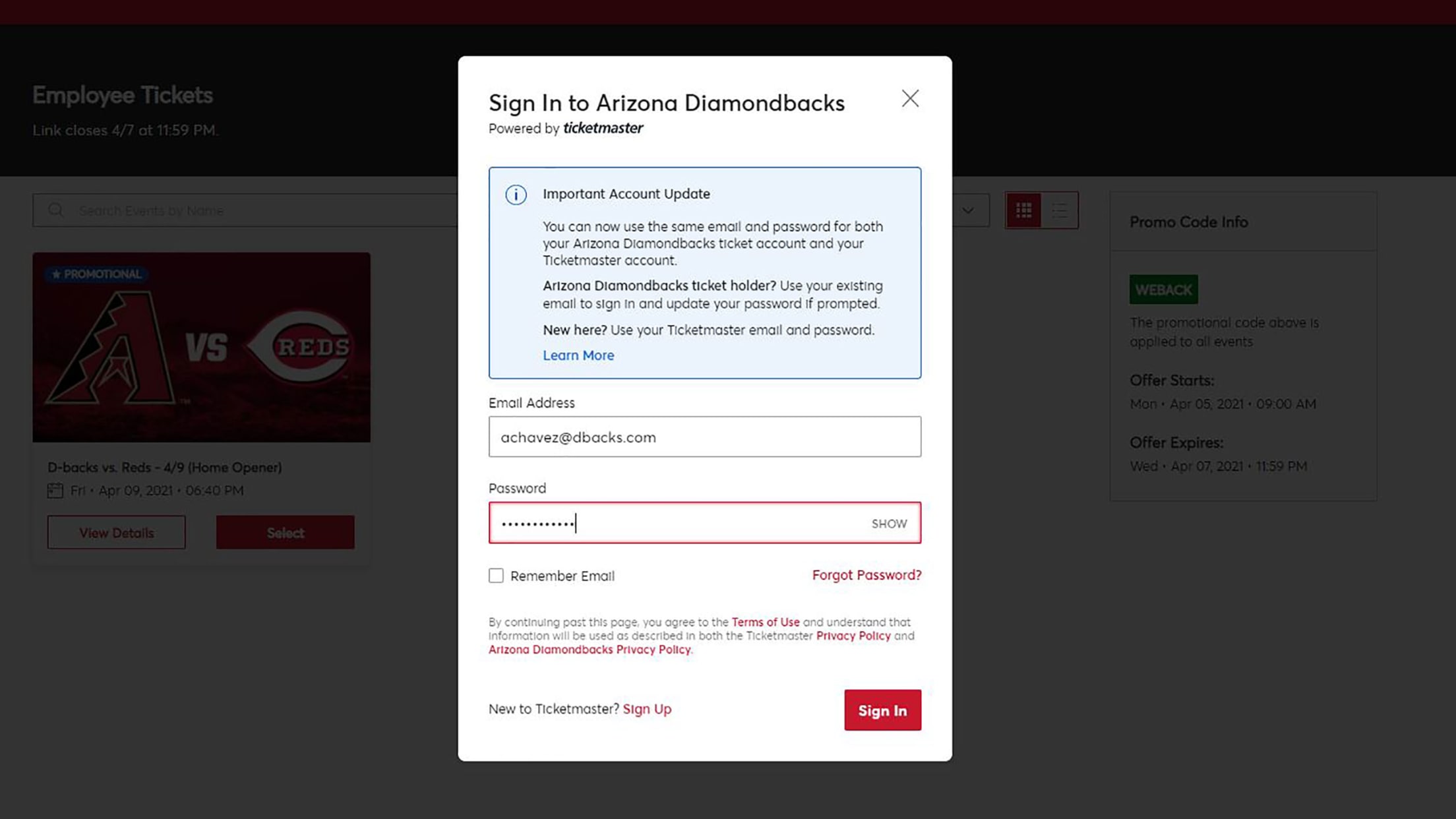
Step 2: Please select "log in" located at the top right corner of the webpage.
Step 3: To gain access to your account, fill in your Arizona Diamondbacks Email Address along with your password. If you have not created an account with Arizona Diamondbacks Email, please click on “Sign Up”.
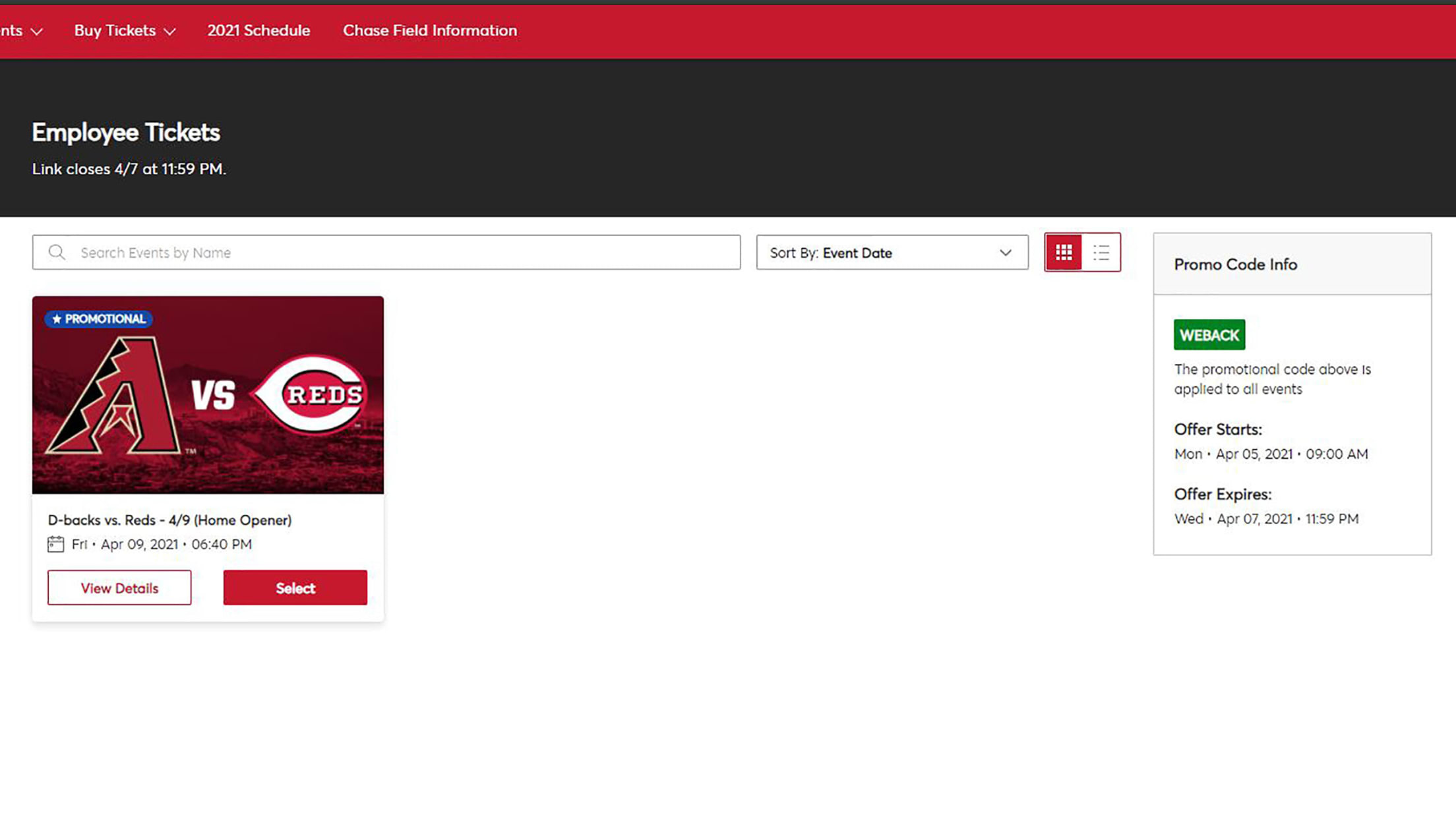
Step 4: Select the game you would like tickets to by clicking "Select".
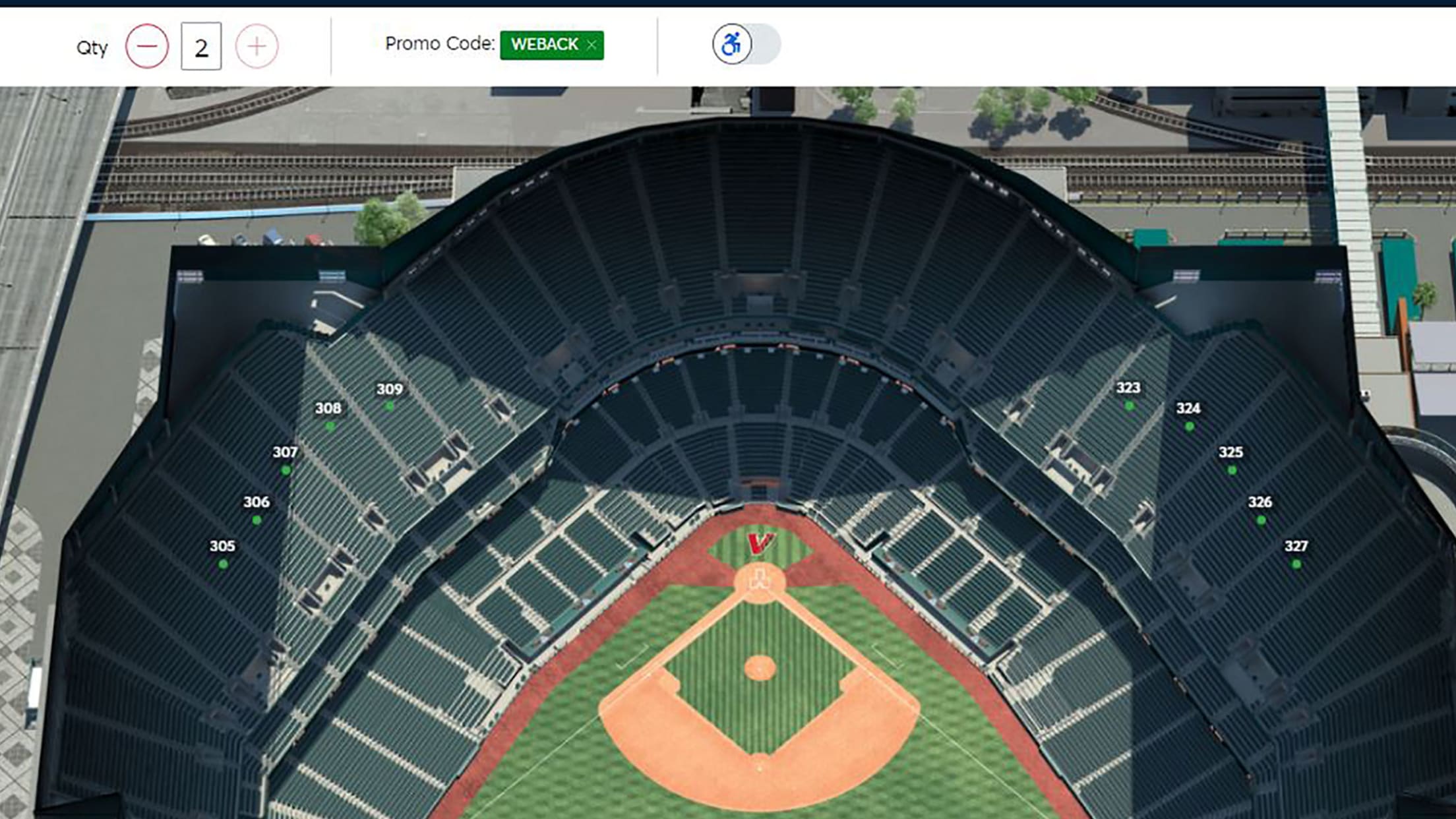
Step 5: The promo code will automatically fill in. If it does not, enter in the offer code. This code will be in your email before each homestand.
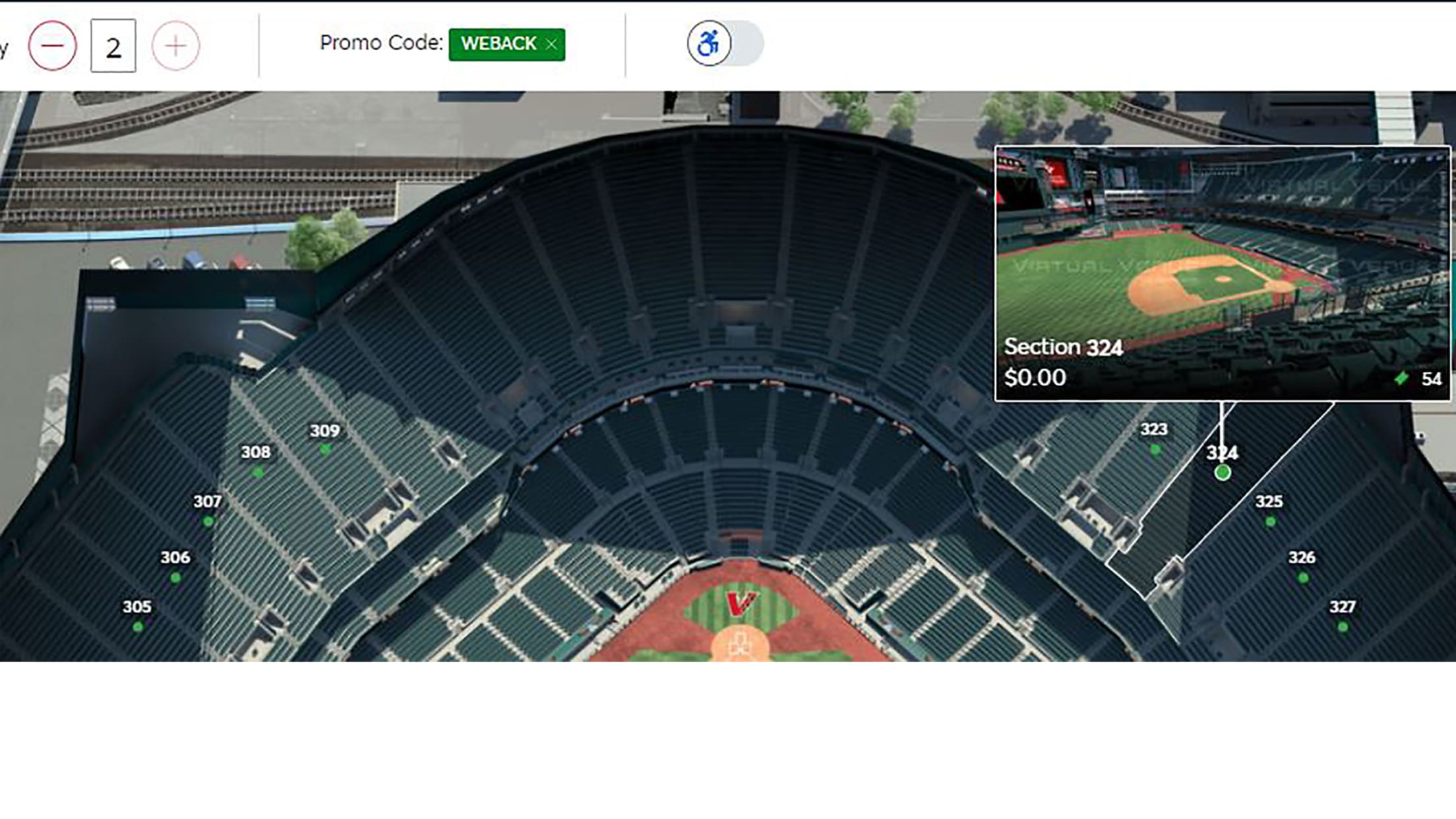
Step 6: Now it's time to select your seats! An interactive seat map will give you the layout of the ballpark. To view seating locations please click on the sections that are highlighted with the Section Number. PLEASE NOTE: SECTIONS NOT SHOWING ARE NOT AVAILABLE.
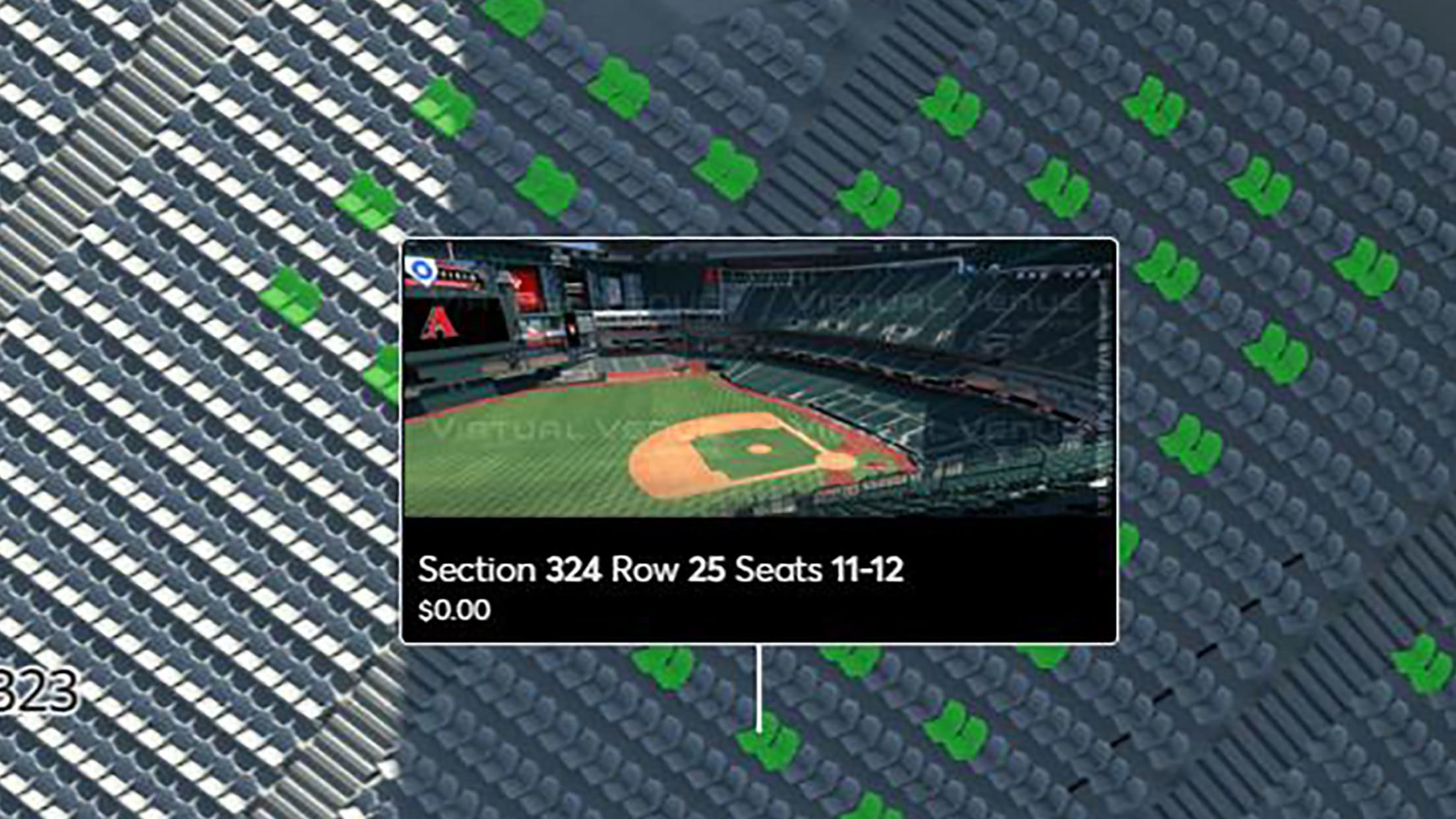
Step 7: The interactive map will zoom in on the section of your choice and you will be able to choose exact seating. Open seats will be shaded in GREEN. Hover over your seat and click on them to view the section.
PLEASE DO NOT LEAVE AN SINGLE UNOCCUPIED SEAT.
If you are not sure how many tickets you will need, no sweat. You can log in as many times as you want, but keep in mind the maximum amount of tickets you can issue to yourself per game is 4 (exceptions apply).
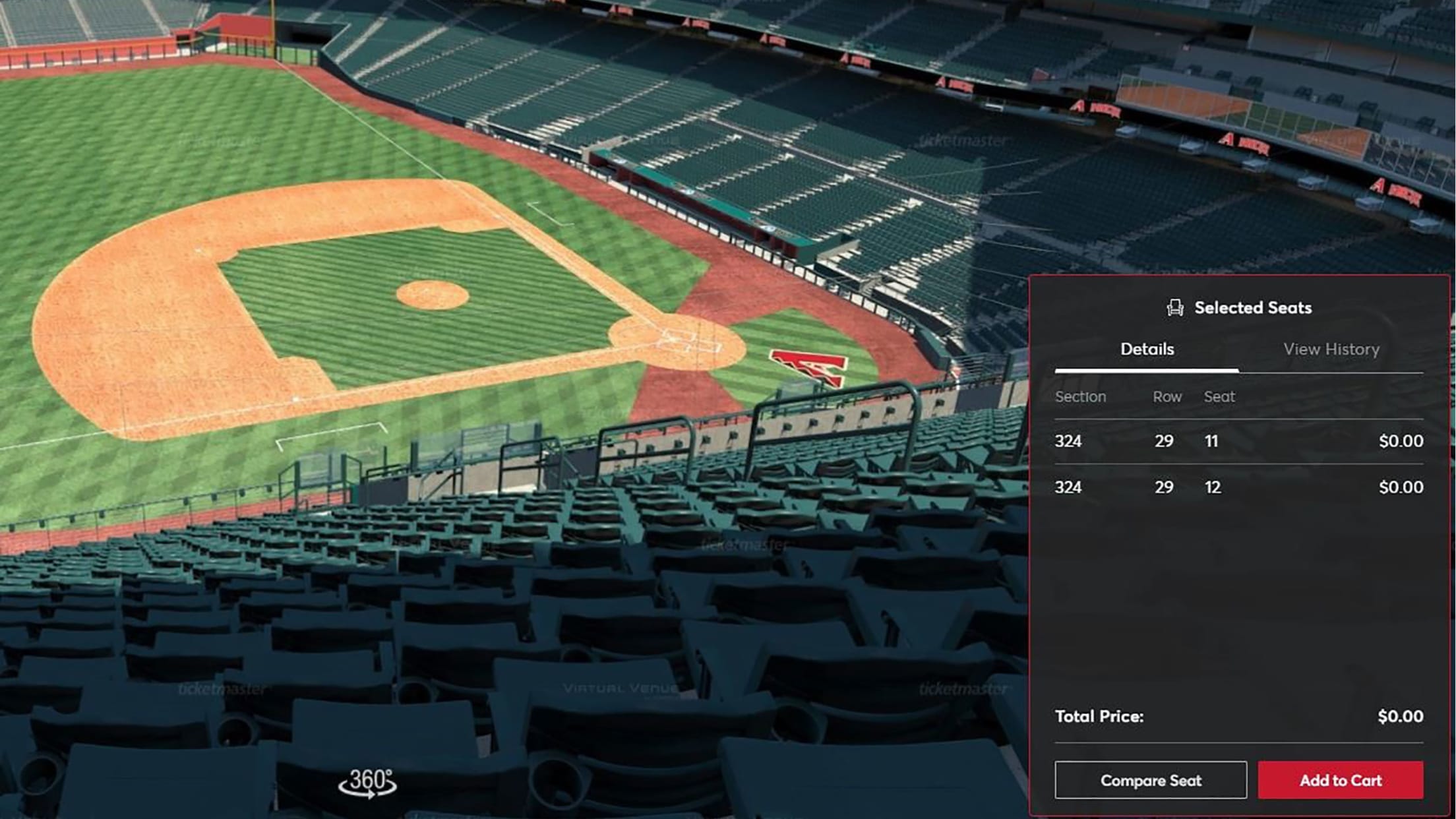
Step 8: Please review your Section, Row, and Seat Number. You can also remove seats as need be. Once you are satisfied with your choices, please select ADD TO CART. To CHECKOUT, click on the cart in the top right hand corner and hit CONTINUE.
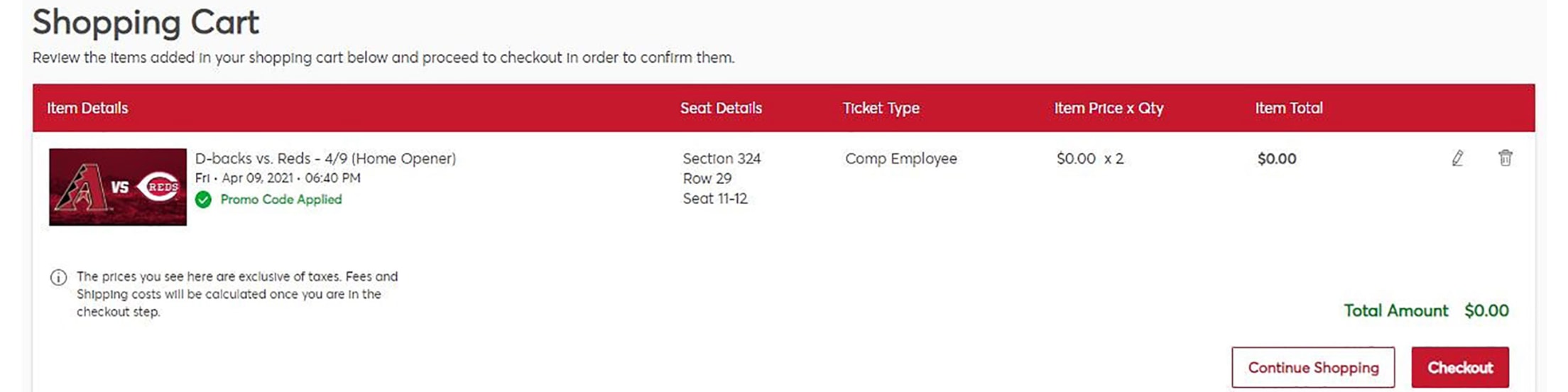
Step 9: This screen will allow you to review your order. Please confirm all information at this time. Ask yourself ... Are these the seats that I selected? Did I select the correct game?
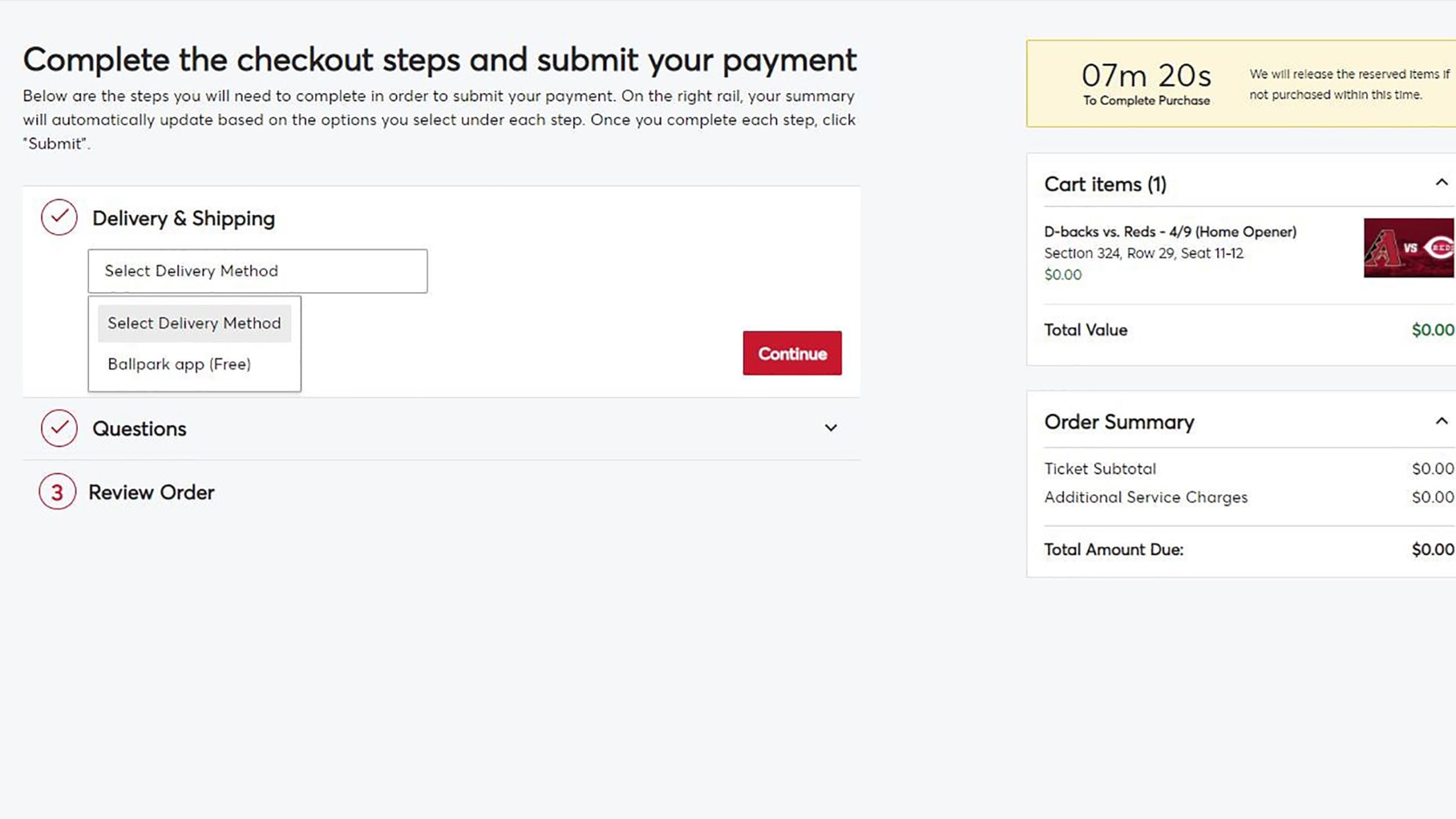
Step 10: You're almost there! To receive your tickets, you must select a delivery method. Please select the drop down Delivery Method and select "BALLPARK APP" (you may still access your tickets via Account Manager). After Selecting, please select continue.
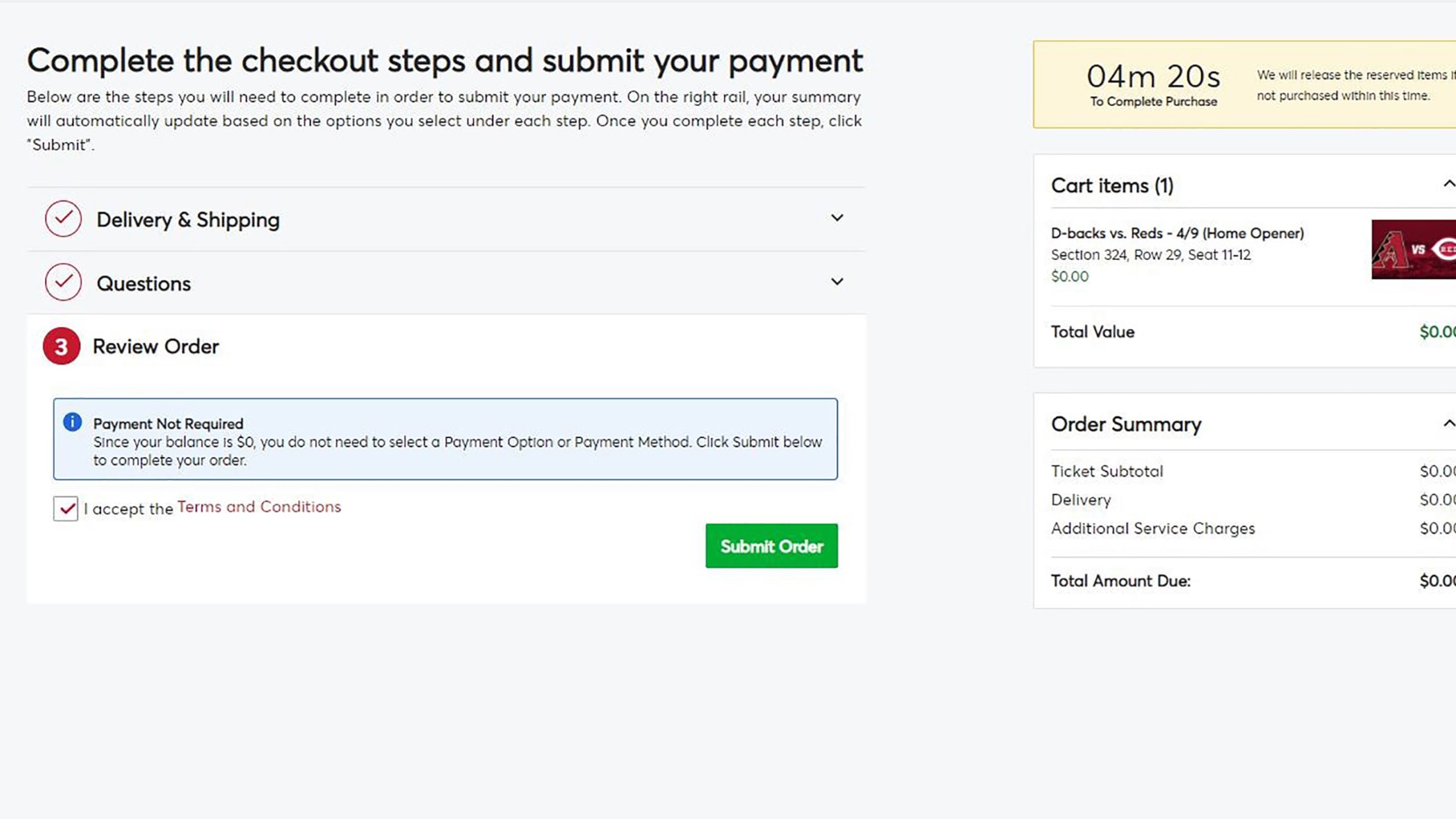
Step 11: This is the final review for your order. You will have 10 minutes before this page expires. To complete your order please acknowledge the "I AGREE TO THE TERMS of USE" and select submit order.
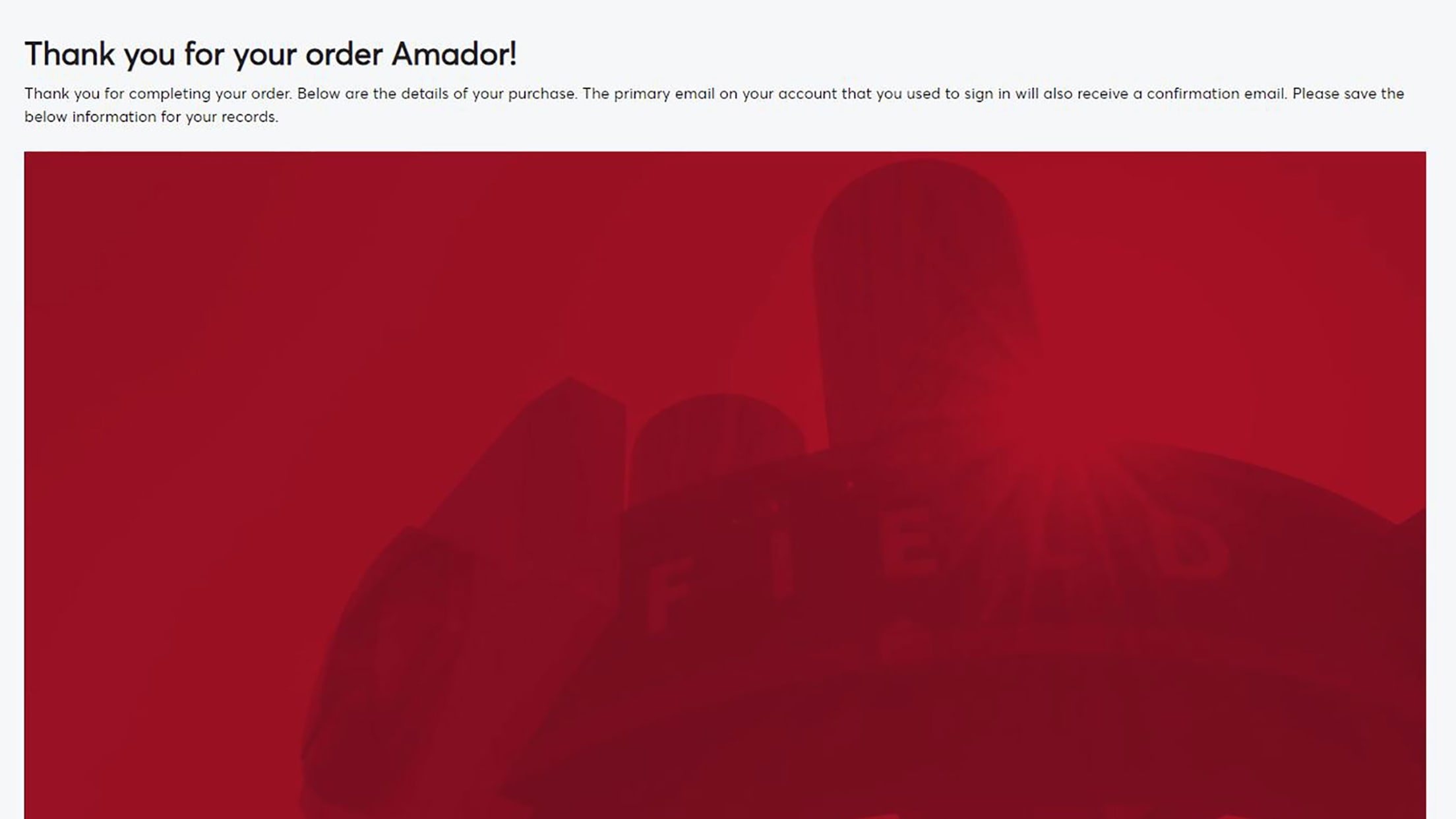
Step 12: YOUR ORDER IS CONFIRMED!