


The MLB Ballpark App is available for download on both iOS and Android
Giants Wallet

A new way to pay for your favorite ballpark treat!
Giants Wallet provides a seamless way for fans to manage their ticket entitlements and concession credit in one centralized wallet experience. Giants Wallet is available to fans using the MLB Ballpark app at Oracle Park concession and retail locations, some restrictions may apply based on the credit or discount. Please see Terms of Use and Privacy Policy for more information.



How to use Giants Wallet
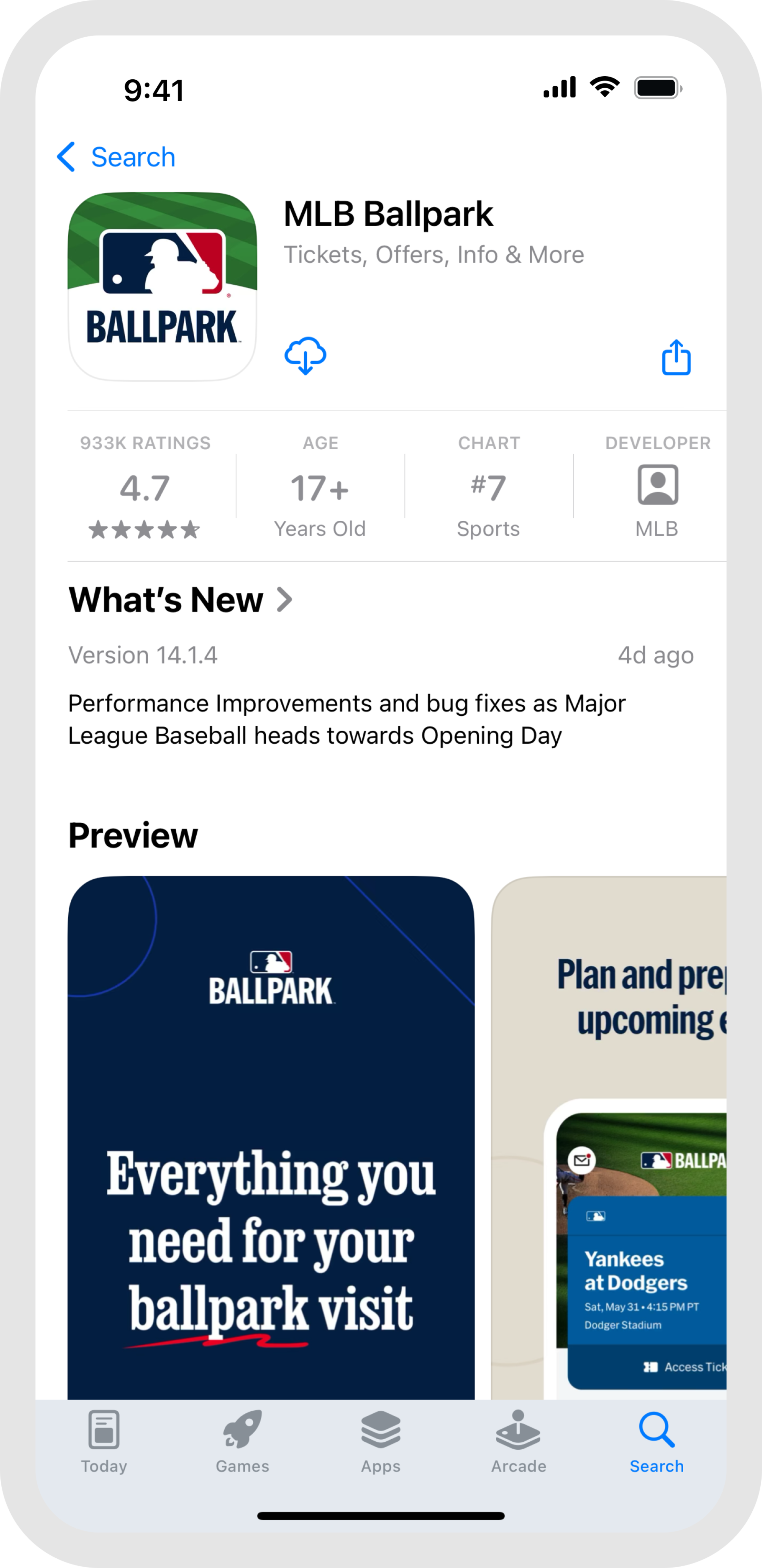
Step 1
Open or download the MLB Ballpark app
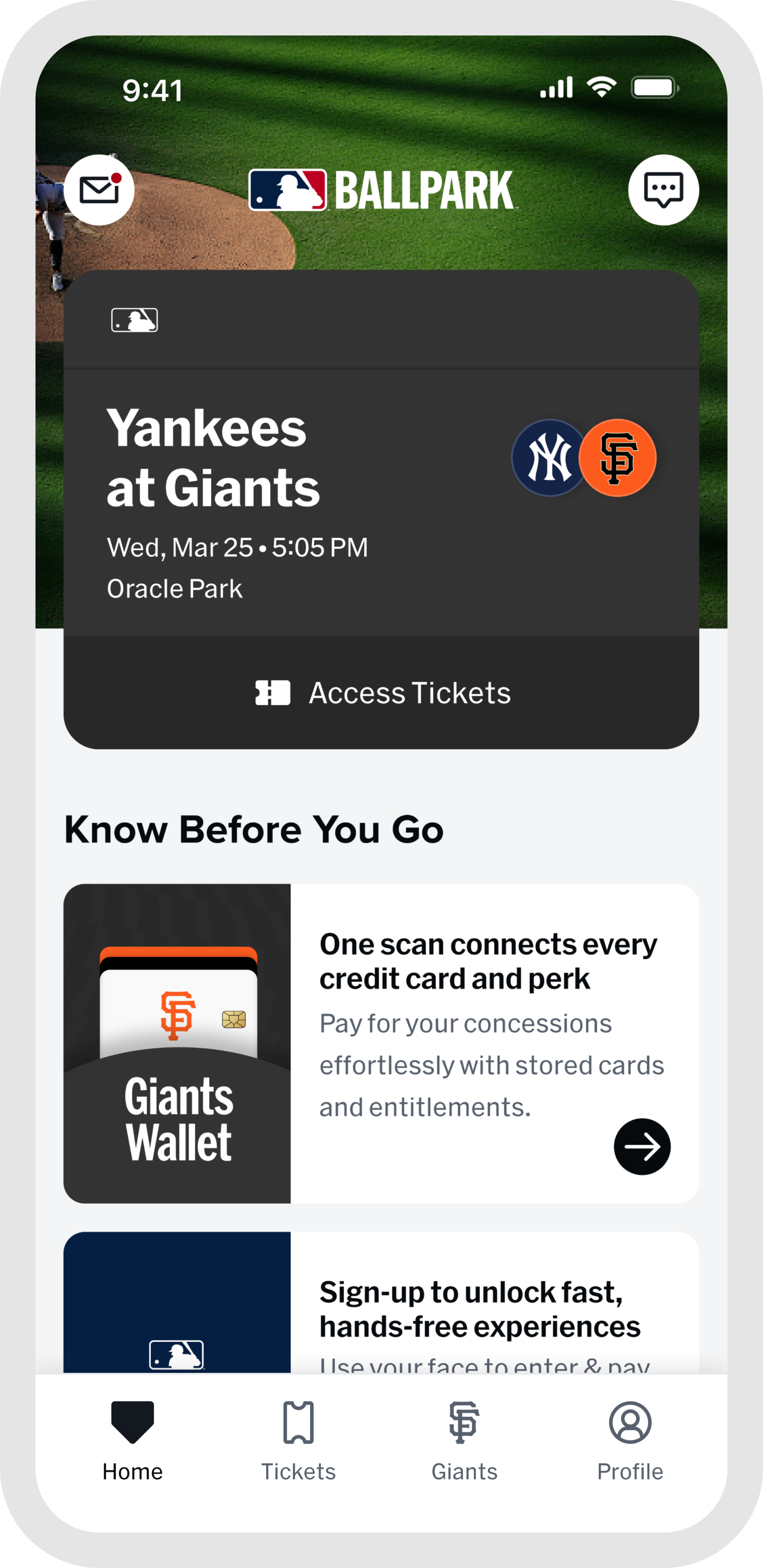
Step 2
Select the Giants Wallet card on the Home Tab or the Giants Wallet tile on the Team Tab
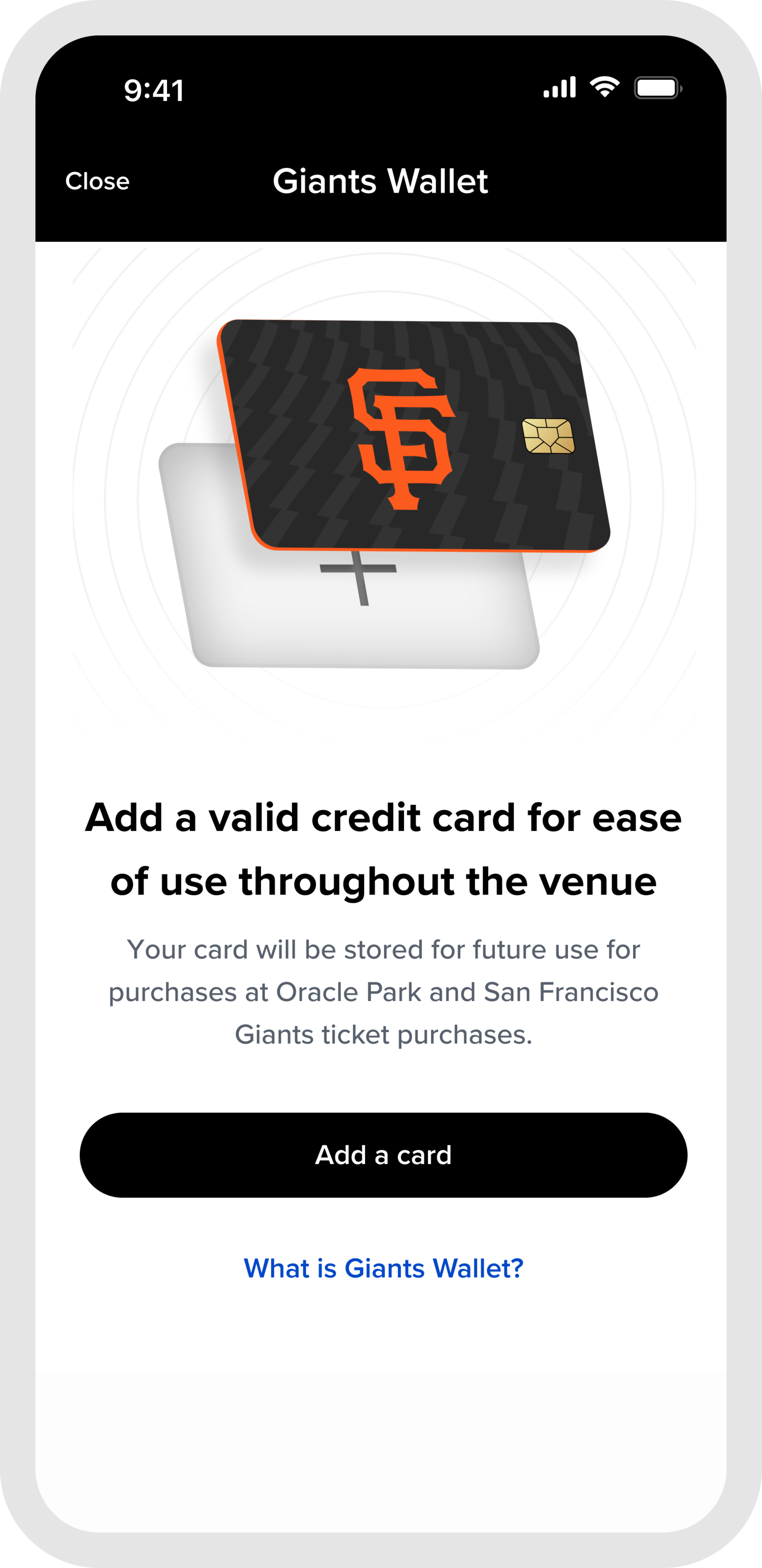
Step 3
If you do not have a card saved on file, add a credit or debit card to save your payment method
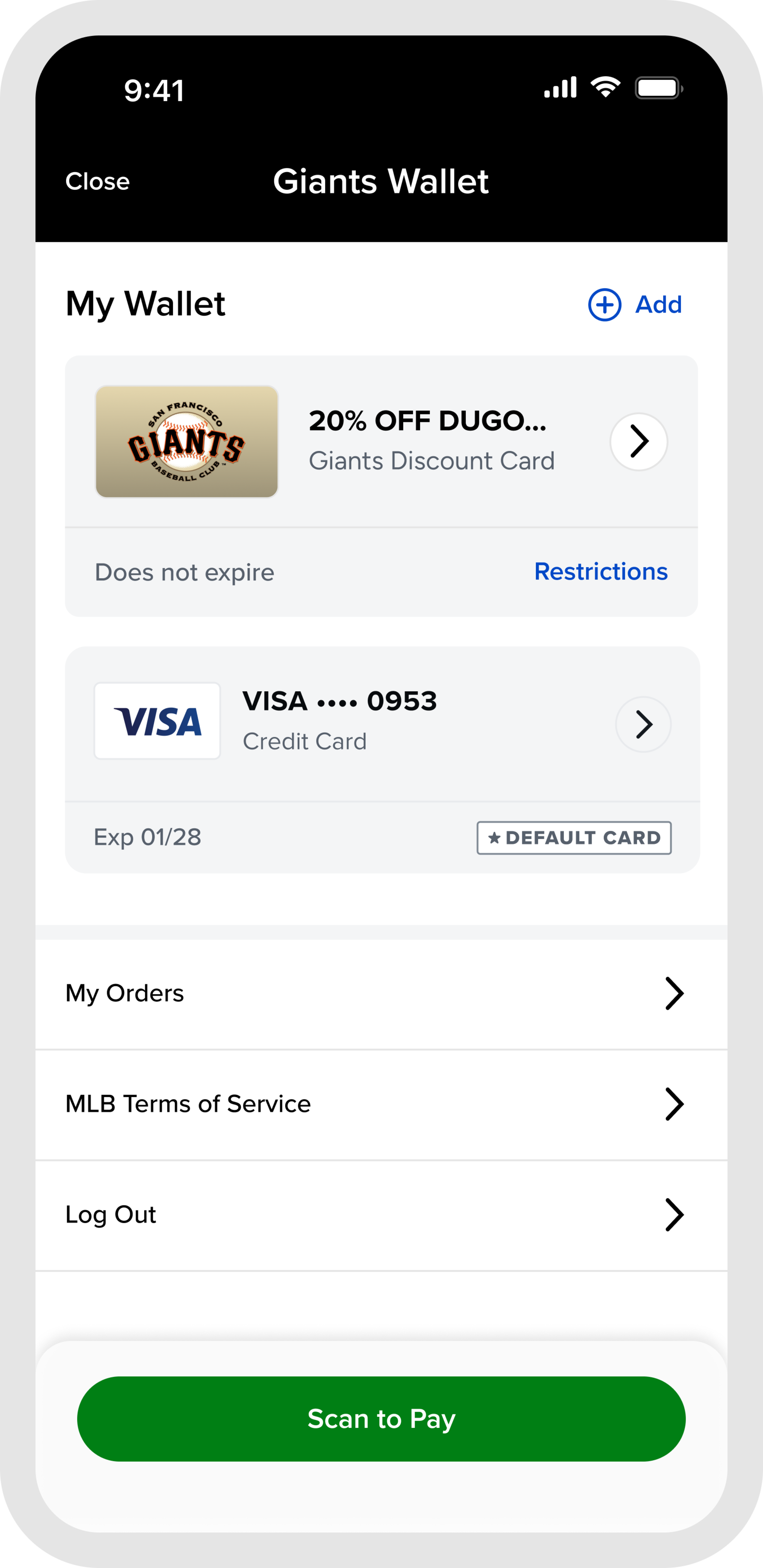
Step 4
If you have a card saved on file from a previous ticket purchase, your card will be saved in your wallet and is ready to use!
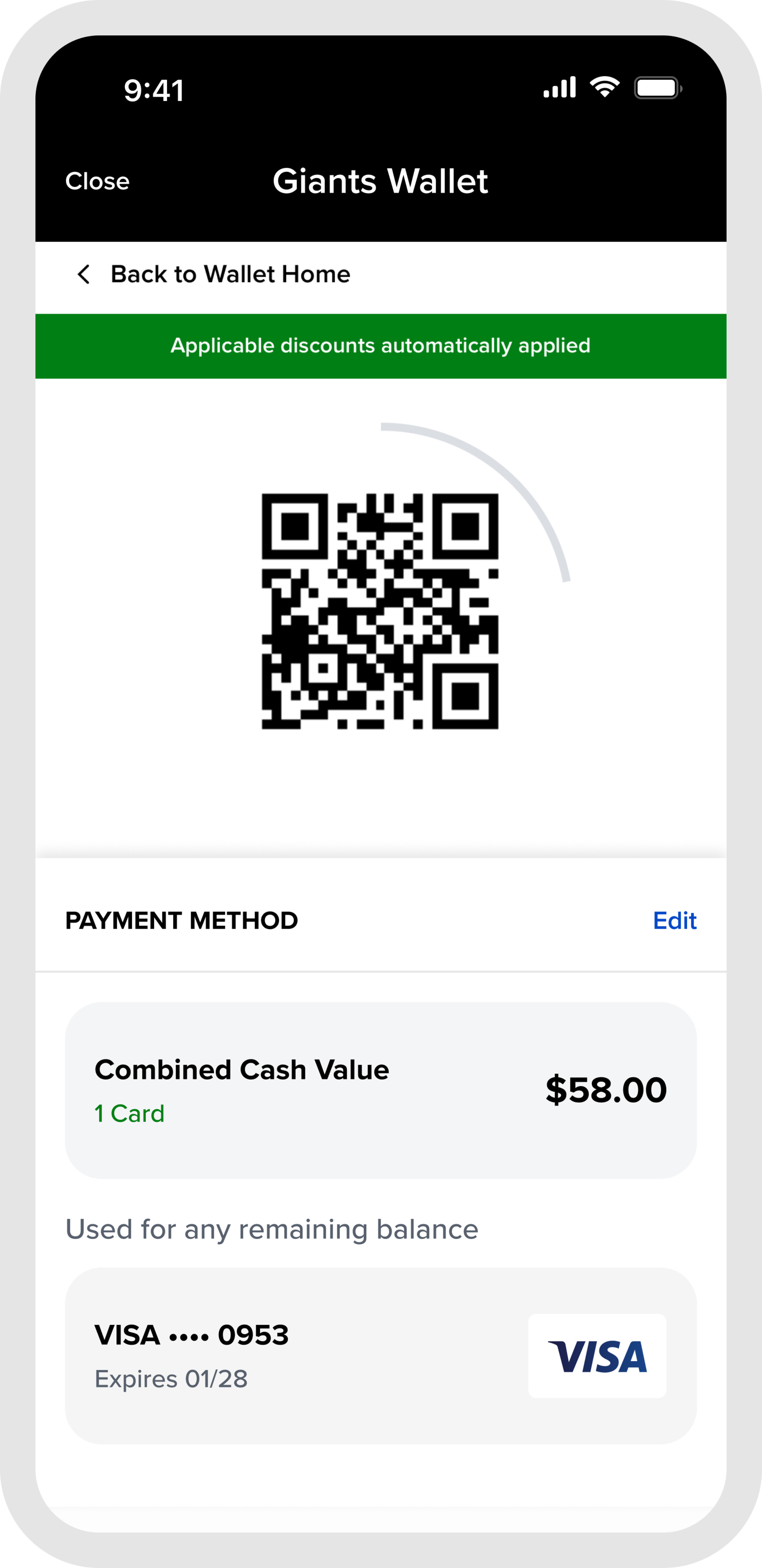
Step 5
Select “Scan & Pay” to present or scan a unique QR code that includes your payment card and any applicable loaded value or discounts for concession and merchandise purchases at the ballpark
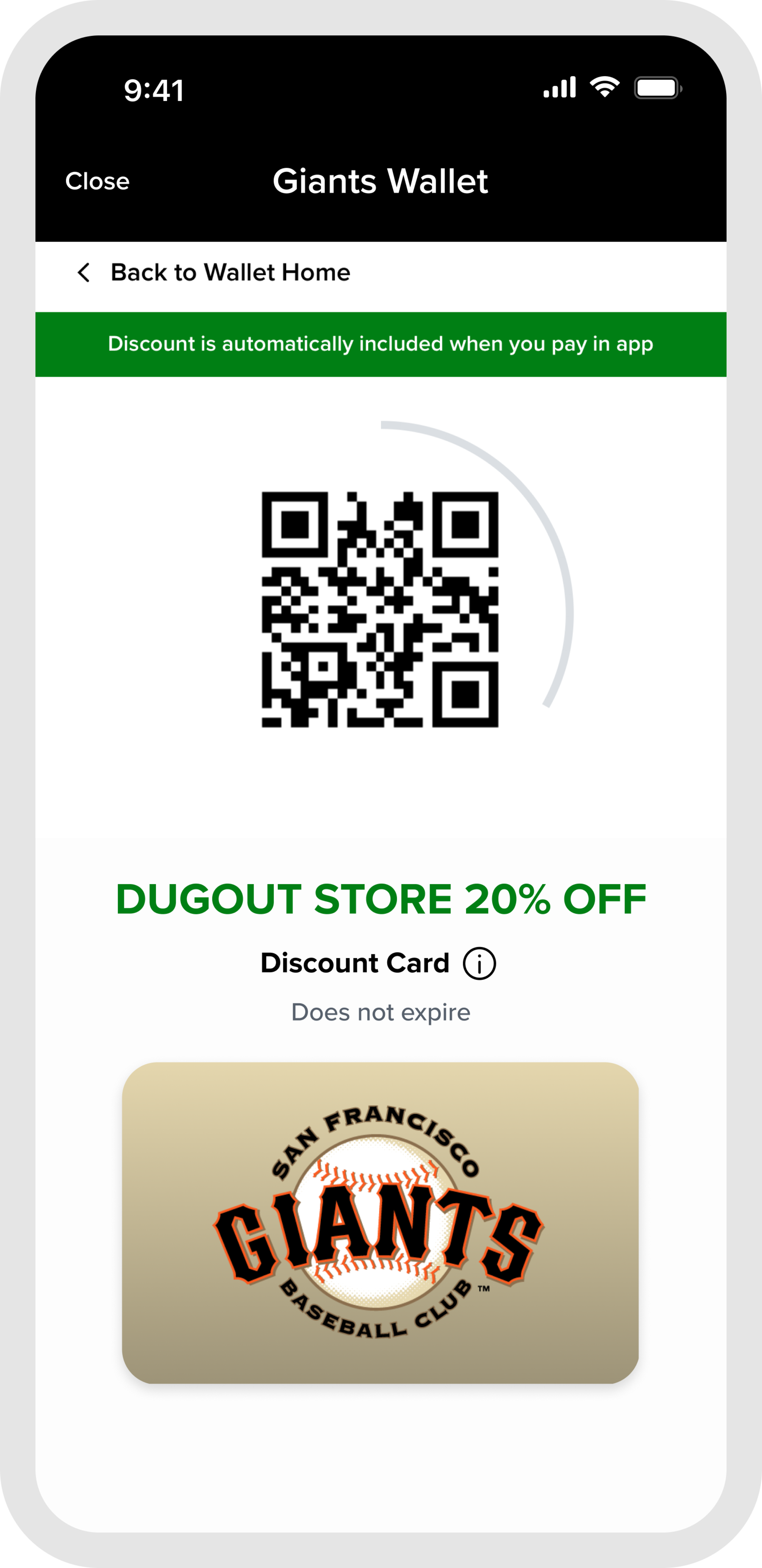
Step 6
To use an applicable discount by itself, select the benefit card to present or scan only that QR code
Frequently Asked Questions
What is Giants Wallet and how does it work?
Giants Wallet is a centralized payment system integrated into the MLB Ballpark app that allows fans to quickly and easily pay for tickets, concessions and merchandise at Oracle Park. Fans only need to store their credit card information once, and they can use it for all in-venue purchases without having to re-enter payment details, while also being able to access any value, discounts, or other Club provided benefits. This simplifies the in-venue purchasing process by providing a single payment method for food and merchandise while streamlining transactions, reducing friction, and allowing fans to focus more on enjoying the game rather than worrying about utilizing multiple payment methods for one transaction.
What are the main features and benefits of using Giants Wallet?
Giants Wallet centralizes your wallet, making your experience at Oracle Park smoother and more enjoyable.
- One-Time Setup: Add your payment card once, and never have to enter it again.
- All-In-One Wallet: Use online or in-app for ticket purchases, or at Oracle Park for concessions and merchandise.
- Seamless Integration: Pay with Giants Wallet across multiple platforms (in-app, in-person, various locations at Oracle Park).
- Access and Combine Additional Benefits: Access Club provided entitlements such as Splash Cash or ticket member discounts and combine them for one transaction using Scan & Pay.
How do I add a new payment card into my Giants Wallet?
Fans can add new cards into their wallet two ways: by adding a new card through the MLB Ballpark app, or saving a card on file when purchasing tickets to a game. Adding a card through the MLB Ballpark app will also add the card on the fan’s MyTickets account and vice versa.
To add a new card through the MLB Ballpark app, access the Giants Wallet wallet from the Home Tab and follow the instructions. After adding a card, fans have the option to save multiple cards by selecting the "Add" button.
How do I remove a card from my Giants Wallet?
Fans can remove a card in the MLB Ballpark app by tapping on the card in Wallet and selecting “Remove this Card”. Removing a card from the MLB Ballpark app will also remove the card from the fan’s MyTickets account and vice versa. Exception: cards tied to a payment plan cannot be removed from Wallet.
Fans can also remove a card by logging into their MySFTix account, selecting My Account and the Payment Info option to manage cards on file.
How does "Scan & Pay" work?
"Scan & Pay" will apply all of your wallet benefits (discounts, Splash Cash, member entitlements) into one QR code to scan at time of payment. The transaction will be processed in the following order:
- Apply discounts (if applicable)
- Apply Splash Cash (if applicable)
- Apply member entitlements (if applicable)
- Charge remaining balance to card on file (last used payment card)
If I have multiple Splash Cash amounts, can I choose which one I want to use during a purchase?
Yes, fans can choose to scan the Splash Cash cards individually or edit the Splash Cash amounts on the "Scan & Pay" view by selecting the "Edit" button on the consolidated QR code screen.
Can I still use my ticket barcode to apply Splash Cash to my order?
Yes, you can still utilize your ticket barcode to redeem your Splash Cash. However, by using Wallet, you can apply a credit card for any balance within one transaction instead of two. More information on Splash Cash can be found here.
If I have multiple cards in my Wallet, can I choose which one I want to use during a purchase?
Yes, fans can choose their preferred card by tapping on the tile in Wallet or, if using "Scan & Pay", they can tap the "Edit" option from the consolidated QR code screen.
Can I use Giants Wallet at all concession stands and retail stands/stores?
The Giants Wallet is accepted at the majority of concession stands, retail stands and the Dugout Store at Oracle Park. Exceptions include in-seat vendors, hawkers, and the From the Clubhouse game used store.
Is Giants Wallet secure and how does it protect my payment information?
Yes, Giants Wallet is designed with security in mind. Payment information is securely tokenized and stored, ensuring that sensitive data is protected.